
Blossom Garden
Blossom Garden
| No. | Description | |
|---|---|---|
| 1. | Reels | 3 x 5 |
| 2. | Number of Lines | 30 Lines |
| 3. | Default RTP | 97.01 % |
| 4. | Hit frequency |

2.62 (High Frequency) |
| 5. | Volatility Index |

6.81 (Normal volatility) |
| 6. | Min and Max Bet |
Reflected on the game interface based on player’s currency. |
Blossom Garden is a 3x5 collapsing reels video slot game with 30 fixed paylines. Three to five matching symbols along any payline from leftmost reel to right has a corresponding win amount. The game has two features: Instant Win and Mystical Free Spins.
The entire reel where there is a winning symbol would be removed and new symbols will fill the gaps on those reels. The reels are reassessed for new winning combinations and are paid accordingly. This process continues until there are no more winning combinations after the replacement of all the symbols on the reel where there was a winning combination.
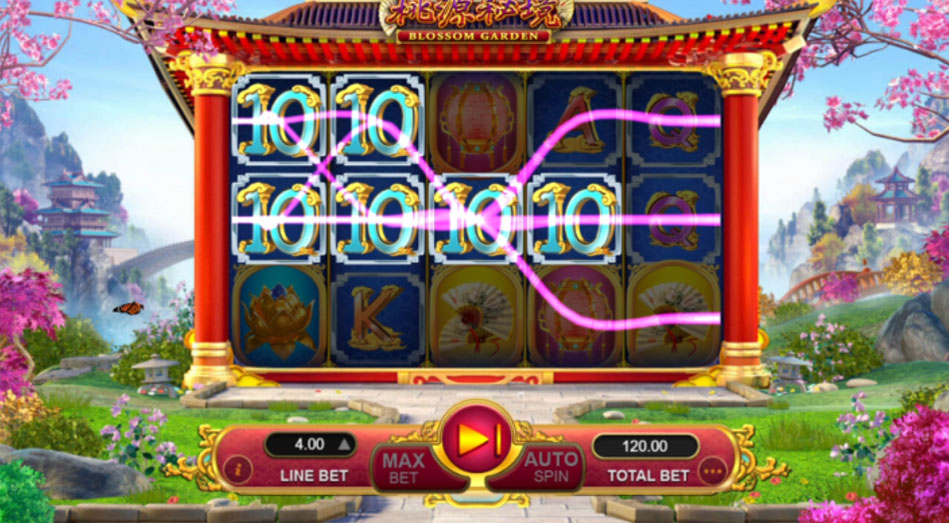

Game Symbols
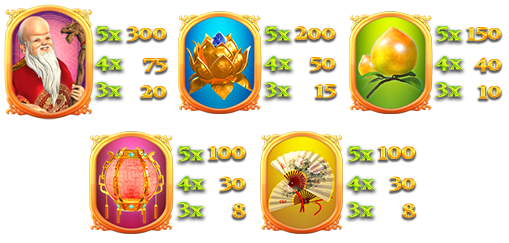
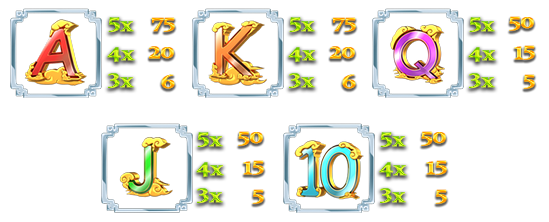
Symbol combination payouts are listed on the paytable. Win amount is computed by multiplying the payout value by the line bet – except for the scatter payout which is multiplied by total bet.
| High-paying Symbols | |||
|---|---|---|---|
 |
|||
| Low-paying Symbols | |||
|---|---|---|---|
 |
|||

Wild Symbol
Wild symbol substitutes for all symbols on a possible win line EXCEPT for the Scatter symbol. The Wild symbol would be available on ALL reels. It is available during normal game and during free spins.
Only the highest payout would be paid.Payouts with the wild symbol will be evaluated to see which combination would award the highest pay – either the Wild symbol payout or the combination payout wherein the wild would replace the other symbols.
Example:
Symbols on the reel (MAIN GAME): Wild – Wild – Wild – Ten – Ten
Line bet: USD 0.04 , Total bet: USD 1.20
Line payout:
5-of-a-kind payout for Ten symbol - 50 x USD 0.04 (line bet) = USD 2.00
3-of-a-kind payout for Wild symbol - 150 x USD 0.04 (line bet) = USD 1.20
Player is paid with the highest pay – which is the Ten Symbol payout USD 2.00
Example:
Symbols on the reel (MAIN GAME): Wild – Wild – Wild – Wild – Ten
Line bet: USD 0.04 , Total bet: USD 1.20
Line payout:
5-of-a-kind payout for Ten symbol - 50 x USD 0.04 (line bet) = USD 2.00
4-of-a-kind payout for Wild symbol - 30 x USD 0.04 (line bet) = USD 6.00
Player is paid with the highest pay – which is the Ten Symbol payout USD 6.00
Scatter Symbol
The Scatter symbol triggers the mystical free spins feature. Scatter symbols appear on all reels during normal game.
Getting 3 Scatter symbols anywhere on reels 2, 3, and 4 during a normal game would award the player with the default 14 free spins. Three scatter symbols also pay 1x the total bet.
Instant Wins

Instant win triggers randomly on the game after either five or three reels explode from getting 3-of-a-kind or 5-of-a-kind winning combinations (except scatter wins). At the end of the instant win, a new set of symbols will fill in the reels and will be reevaluated for any winning combination.
It can be awarded with range of x5, x8, x10, x20, x30, x40, x50, x60, x100, x200, or x500. Instant win can be triggered both on main game and during free spins.
Mystical Free Spins
Mystical free spins are triggered from the main game when 3 or more Scatter symbols appear on Reels 2, 3, and 4. The player will be awarded the default 14 mystical free spins.
Free spins would use the same lines bet that triggered the feature. Free spins cannot be retriggered. During free spins, Instant Win could be triggered.
How To Play
- Choose the Total Bet per round by selecting a Line Bet value to be applied on each paylines.
- To start the round, click the SPIN button.
- Once the reels stop, the combination of symbols displayed determine the payout as could be seen on the paytable. Check the total win on the WIN field.
BET
The total bet is shown in TOTAL BET display.
Player could change the bet by changing the bet value (increase or decrease) which would be applied on all the number of paylines.
PAYLINES OR PAY WAYS & PAYTABLE
The number of game paylines or pay ways is fixed. The game payline or pay ways patterns, and the paytable that show the winning symbol combination payout are displayed by clicking on the “i” button.
WIN
Any total win in the game round will be displayed on the WIN field. The win amount for each combination could be seen on the info table where the paytable, paylines, and feature information are. Only the highest payline win will be paid.
If the game has a feature, all winnings from features triggered are added to the payline or pay way total win. If the game has a feature, all winning combinations are paid out at the end of a game round/spin and NOT at the end of the feature triggered.
For games with Free Spin feature, each free spin is played with the same line bet chosen during the game round that triggered it. The bet cannot be changed during a currently running game round or feature.
Reconnecting Games
If in the middle of the main game the player disconnected from the Internet, the spin will be automatically completed. Once the player re-opens the game, it will start from the very beginning. Players previous wins will be paid. To check the previous outcome, click on History button after login.
If the main game is disconnected from the Internet during a spin using the Auto Spin function, the spin will be automatically completed, but further spins will not automatically start. The game’s previous wins will be paid. To check the previous outcome, click on History button after login.
If the game is disconnected from the Internet during the Free Spins, Bonus Game and/or other feature, the player will be automatically directed back to the game after login to continue the game. Players previous wins will be paid. To check the previous outcome, click on History button after login.
Do note that a malfunction voids all pays and plays.
Game Actions/Buttons - Web Version
| Button | Name | Description | ||||
|---|---|---|---|---|---|---|
 Bet panel - Contains the actionable buttons and fields related to the game |
||||||
 |
“i” button | Displays the info table containing the paytable data, paylines, and information regarding the features of the game. | ||||
 |
Line Bet/Bet |
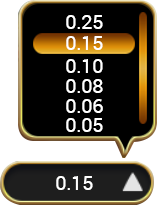
Line Bet is a dropdown option for games based on paylines that lets player choose how much to bet for each payline available. Bet is a dropdown option for games based on payways that lets player choose how much to bet for each credit available on a payways game. Simply click on the chosen bet value to apply it for the succeeding spin. |
||||

|
Max Bet Button |
Automatically selects the highest bet denomination listed on the Line Bet dropdown button. |
||||
 |
Spin button |
During the main game, press this to start a normal spin. |
||||
 |
Play button |
If the game has a feature and it is triggered, this button will start the feature. |
||||
 |
Stop button |
Shows up a few seconds before the reels land one by one. This stops the reels instantly. |
||||
 |
Total Bet |
No action required. Displays the total wager placed per round. Total bet is computed automatically by multiplying the configured line bet by the number of paylines for the game. |
||||
 Basic Auto Spin Panel |
Shows the corresponding number of auto spins that could be triggered. Player could choose either 10, 25, 50, 75, 100, or unlimited auto spins. Choosing Unlimited would mean the auto spins will continue player has insufficient balance. |
|||||
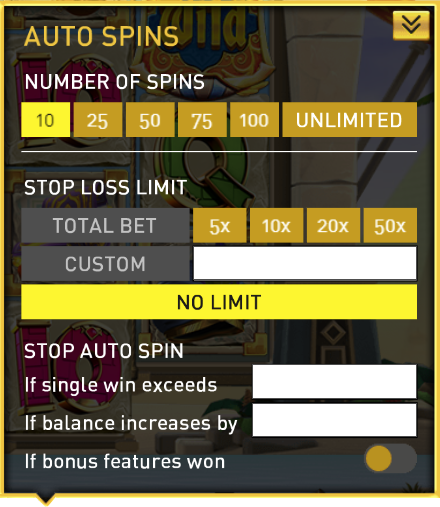 Advanced Auto Spin Panel |
Shows the following:
Auto Spin settings of the game would follow all the conditions configured on this panel. |
|||||
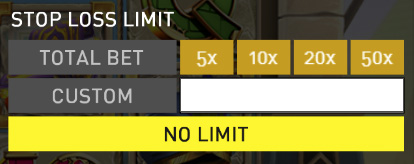 Stop Loss Limit |
Allows the player to set stop loss limit based on accumulated total bet. Once the limit has been met auto spin will stop.
Auto Spin settings of the game would follow all the conditions configured on this panel. |
|||||
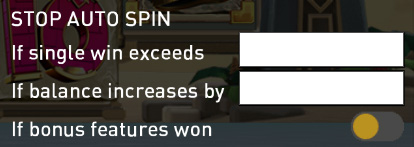 Stop Auto Spin Options |
Allows the player to stop auto spin with specific condition :
|
|||||
 |
“...” or More button |
Shows the following:
|
||||
  |
Sound button |
Toggles mute and unmute for the sounds of the game |
||||
 |
Game Help button |
Shows the game help info page for the game |
||||
 |
Game History |
Displays the transaction history of the user account including bets and wins on every spin. |
||||
 |
Back button |
Redirects to the game lobby site |
||||
  |
Play for Real and Fund Transfer |
Play for Real button changes the play mode from Fun Play (demo) to Real Play (pay per spin). Fund Transfer button redirects to the Wallet of the user account. Note: These two buttons are ONLY displayed if the operator has enabled this configuration. |
||||
 |
Home button |
Redirects the player to either the lobby site or the site that the operator has configured. Note: This button is ONLY displayed if the operator has enabled this configuration. |
||||
 Black bar menu - Shows the following:
|
||||||
 |
Type of gameplay |
Funplay (demo mode) and Pay to Play |
||||
 |
Total Bet (black bar) |
No action required. Displays the total wager placed per round. Total bet is computed automatically by multiplying the configured line bet by the number of paylines for the game. |
||||
 |
Total Win |
Total Win amount from the previous round |
||||
 |
Balance |
Remaining player balance (in currency) |
||||
 |
Time |
Current time (in timezone) |
||||
Game Actions/Buttons - Mobile Version
| Button | Name | Description | ||||||||
|---|---|---|---|---|---|---|---|---|---|---|
 |
Game Help button | Shows the game help info page for the game | ||||||||
 |
Option button |
Shows the following:
|
||||||||
  |
Sound button | Toggles mute and unmute | ||||||||
 |
Auto Spin Button | Displays the Advanced Auto Spin Window | ||||||||
 |
Basic Auto Spin Panel | Shows the corresponding number of auto spins that could be triggered. Player could choose either 10, 25, 50, 75, 100, or unlimited auto spins. Choosing Unlimited would mean the auto spins will continue player has insufficient balance. | ||||||||
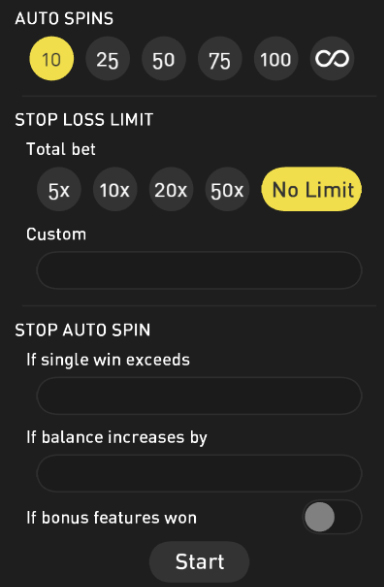 |
Advanced Auto Spin Window |
Shows the following:
Auto Spin settings of the game would follow all the conditions configured on this panel. |
||||||||
|
Stop Loss Limit |
Allows the player to set stop loss limit based on accumulated total bet. Once the limit has been met auto spin will stop.
Auto Spin settings of the game would follow all the conditions configured on this panel. |
||||||||
 |
Start Auto Spin Button | Click Start button to start the autospin. | ||||||||
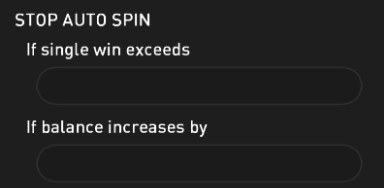 |
Stop Auto Spin Options |
Allows the player to stop auto spin with specific condition :
|
||||||||
 |
Settings button |
Shows the following:
|
||||||||
 |
Bet Settings |
Shows the following:
|
||||||||
 |
Total Bet | No action required. Displays the total wager placed per round. Total bet is computed automatically by multiplying the configured line bet by the number of paylines for the game | ||||||||
 
|
Paylines/Way Wins | Paylines for games which are based on paylines, and way wins for games which are based on pay ways are indicated as fixed numbers (represented as N on the screenshot). | ||||||||
 
|
Line Bet/Bet |
Line Bet is a slider option for games based on paylines that lets player choose how much to bet for each payline available. Bet is a slider option for games based on payways that lets player choose how much to bet for each credit available on a payways game. Drag the slider to the chosen bet value to apply it for the succeeding spin. |
||||||||

|
Sound Setting | Slider option that lets the player set the volume of the game. | ||||||||
 |
"i button" | Displays the info table containing the paytable data, paylines, and information regarding the features of the game. | ||||||||
 |
Home Button |
Redirects the player to either the lobby site or the site that the operator has configured. Note: This button is ONLY displayed if the operator has enabled this configuration. |
||||||||
 |
"x" button | Closes the settings menu and returns the player the the game area. | ||||||||
  |
Play for Real and Fund Transfer |
Play for Real button changes the play mode from Fun Play (demo) to Real Play (pay per spin). Fund Transfer button redirects to the Wallet of the user account. Note: These two buttons are ONLY displayed if the operator has enabled this configuration. |
||||||||
 |
Game History | Displays the transaction history of the user account including bets and wins on every spin. | ||||||||
 |
Back button | Redirects to the game lobby site | ||||||||
 |
Spin button | During the main game, press this to start a normal spin. | ||||||||
 |
Play button | If the game has a feature and it is triggered, this button will start the feature. | ||||||||
 |
Stop Auto Spin Button | Counts the remaining auto spin (if applicable) and stops the auto spin when pressed | ||||||||
 |
Fast-forward button | Stops all reels and skips the line-by-line win presentation. | ||||||||
 |
Stop button | Shows up a few seconds before the reels land one by one. This stops the reels instantly. | ||||||||
Black bar menu (landscape) Shows the following:
|
||||||||||
Black bar menu (portrait) Shows the following:
|
||||||||||
|
Total Bet (black bar) |
No action required. Displays the total wager placed per round. Total bet is computed automatically by multiplying the configured line bet by the number of paylines for the game. |
||||||||
|
Total Win (black bar) | Total win amount from the previous round | ||||||||
|
Black (black bar) | Remaining player balance (in currency) | ||||||||
|
Time | Current time (in timezone) | ||||||||



Frost Dragon
Frost Dragon
| No. | Description | |
|---|---|---|
| 1. | Reels | 3x5 |
| 2. | Number of Lines | 20 Lines |
| 3. | Default RTP | 96.48% |
| 4. | Hit frequency |
2.69 (High Frequency) |
| 5. | Volatility Index |
12.61 (Medium Volatility) |
| 6. | Min and Max Bet |
Reflected on the game interface based on player’s currency. |
Frost Dragon is a 3x5 collapsing reels video slot game with 20 fixed paylines. Three to five matching symbols along any payline from leftmost reel to right has a corresponding win amount. The game has two features: Downrush Reel Mode and Free Spins.
During Downrush Reel Mode, winning symbols are removed from the reels. Existing and new symbols from the top fall down in sequence to fill in the gaps. The reels are reassessed for new winning combinations and are paid accordingly. This process continues until there are no more winning combinations after replacement of symbols. Every collapse during Downrush Reel Mode has a corresponding multiplier which increases for every consecutive collapse.

Game Symbol
Symbol combination payouts are listed on the paytable. Win amount is computed by multiplying the payout value by the line bet – except for the scatter payout which is multiplied by total bet.
| High-paying Symbols | |||
|---|---|---|---|

|
|||

Wild Symbol
Wild symbol substitutes for all symbols on a possible win line EXCEPT for the Scatter symbol.
The Wild symbol would be available on Reels 2, 3, and 4. Stacked Wilds appear on Reel 3 for more chances to form winning combinations.

Scatter Symbol
Three scatter symbols from leftmost to right trigger the Free Spins Feature.
Scatter symbols would be available on Reels 1, 2, and 3.
Free Spins
The Free Spins feature could be triggered by getting 3 scatter symbols from left to right which would reward.Free spins would use the same lines bet that triggered the feature. Free spin feature can be re-triggered. During free spins, Downrush Reel Mode is enabled and has higher multipliers than the main game.
Downrush Reel is enabled during main game and free spins and can award up to x1, x2, x3, and x5 multiplier for main game, and x3, x6, x9, and x15 multiplier for free spins. Each succeeding collapse will trigger an increase on the multiplier and will max out at x5 for main game and x15 for free spins. Below are the rules for the Downrush Reel:
Downrush Reel Mode
The starting multiplier is x1 for main game and x3 for free spins. Once the player wins a game, the winning symbols would be paid and this is considered the first collapse. The multiplier is set from x1 to x2 for main game, and x3 to x6 for free spins.
- If the new symbols form a new winning combination, this is considered the second collapse and the multiplier will increase. For every consecutive collapse, the multiplier would increase by a step (i.e. from x2 to x3 for main game and x6 to x9 for free spins).
- Once the player gets the 3rd collapse, the multiplier is set to the maximum x5 for main game, and x15 for free spins. Any collapse after that would get the same multiplier.
- If there are no winning combinations left, the game proceeds to the next spin and the multiplier will reset back to x1 for main game, and x3 for free spins.
- If the player gets another winning combination on the next spin, the multiplier will move up by a step, and the same rules as written above would be followed.
Example:
Main Game
Line bet: USD 1.00
Total bet: USD 20.00
SPIN : 3-of-a-kind symbol
10 x USD 1.00 (line bet) x 1 (multiplier) = USD 10.00 COLLAPSE 1: 3-of-a-kind symbol
3 x USD 1.00 (line bet) x 2 (multiplier) = USD 6.00 COLLAPSE 2: 3-of-a-kind symbol
50 x USD 1.00 (line bet) x 3 (multiplier) = USD 50.00 COLLAPSE 3: 3-of-a-kind symbol>
3 x USD 1.00 (line bet) x 3 (multiplier) = USD 9.00COLLAPSE 4: No new winning combinations are evaluated. Multiplier reset to x1 Multiplier.
Total win for the Spin is: USD 66.00
How To Play
- Choose the Total Bet per round by selecting a Line Bet value to be applied on each paylines.
- To start the round, click the SPIN button.
- Once the reels stop, the combination of symbols displayed determine the payout as could be seen on the paytable. Check the total win on the WIN field.
BET
The total bet is shown in TOTAL BET display.
Player could change the bet by changing the bet value (increase or decrease) which would be applied on all the number of paylines.
PAYLINES OR PAY WAYS & PAYTABLE
The number of game paylines or pay ways is fixed. The game payline or pay ways patterns, and the paytable that show the winning symbol combination payout are displayed by clicking on the “i” button.
WIN
Any total win in the game round will be displayed on the WIN field. The win amount for each combination could be seen on the info table where the paytable, paylines, and feature information are. Only the highest payline win will be paid.
If the game has a feature, all winnings from features triggered are added to the payline or pay way total win. If the game has a feature, all winning combinations are paid out at the end of a game round/spin and NOT at the end of the feature triggered.
For games with Free Spin feature, each free spin is played with the same line bet chosen during the game round that triggered it. The bet cannot be changed during a currently running game round or feature.
Reconnecting Games
If in the middle of the main game the player disconnected from the Internet, the spin will be automatically completed. Once the player re-opens the game, it will start from the very beginning. Players previous wins will be paid. To check the previous outcome, click on History button after login.
If the main game is disconnected from the Internet during a spin using the Auto Spin function, the spin will be automatically completed, but further spins will not automatically start. The game’s previous wins will be paid. To check the previous outcome, click on History button after login.
If the game is disconnected from the Internet during the Free Spins, Bonus Game and/or other feature, the player will be automatically directed back to the game after login to continue the game. Players previous wins will be paid. To check the previous outcome, click on History button after login.
Do note that a malfunction voids all pays and plays.
Game Actions/Buttons - Web Version
| Button | Name | Description | ||||
|---|---|---|---|---|---|---|
|
Bet panel - Contains the actionable buttons and fields related to the game |
||||||
|
“i” button | Displays the info table containing the paytable data, paylines, and information regarding the features of the game. | ||||
|
Line Bet/Bet |
Line Bet is a dropdown option for games based on paylines that lets player choose how much to bet for each payline available. Bet is a dropdown option for games based on payways that lets player choose how much to bet for each credit available on a payways game. Simply click on the chosen bet value to apply it for the succeeding spin. |
||||
|
|
Max Bet Button |
Automatically selects the highest bet denomination listed on the Line Bet dropdown button. |
||||
|
Spin button |
During the main game, press this to start a normal spin. |
||||
|
Play button |
If the game has a feature and it is triggered, this button will start the feature. |
||||
|
Stop button |
Shows up a few seconds before the reels land one by one. This stops the reels instantly. |
||||
|
Total Bet |
No action required. Displays the total wager placed per round. Total bet is computed automatically by multiplying the configured line bet by the number of paylines for the game. |
||||
|
Basic Auto Spin Panel |
Shows the corresponding number of auto spins that could be triggered. Player could choose either 10, 25, 50, 75, 100, or unlimited auto spins. Choosing Unlimited would mean the auto spins will continue player has insufficient balance. |
|||||
|
Advanced Auto Spin Panel |
Shows the following:
Auto Spin settings of the game would follow all the conditions configured on this panel. |
|||||
|
Stop Loss Limit |
Allows the player to set stop loss limit based on accumulated total bet. Once the limit has been met auto spin will stop.
Auto Spin settings of the game would follow all the conditions configured on this panel. |
|||||
|
Stop Auto Spin Options |
Allows the player to stop auto spin with specific condition :
|
|||||
|
“...” or More button |
Shows the following:
|
||||
|
Sound button |
Toggles mute and unmute for the sounds of the game |
||||
|
Game Help button |
Shows the game help info page for the game |
||||
|
Game History |
Displays the transaction history of the user account including bets and wins on every spin. |
||||
|
Back button |
Redirects to the game lobby site |
||||
|
Play for Real and Fund Transfer |
Play for Real button changes the play mode from Fun Play (demo) to Real Play (pay per spin). Fund Transfer button redirects to the Wallet of the user account. Note: These two buttons are ONLY displayed if the operator has enabled this configuration. |
||||
|
Home button |
Redirects the player to either the lobby site or the site that the operator has configured. Note: This button is ONLY displayed if the operator has enabled this configuration. |
||||
|
Black bar menu - Shows the following:
|
||||||
|
Type of gameplay |
Funplay (demo mode) and Pay to Play |
||||
|
Total Bet (black bar) |
No action required. Displays the total wager placed per round. Total bet is computed automatically by multiplying the configured line bet by the number of paylines for the game. |
||||
|
Total Win |
Total Win amount from the previous round |
||||
|
Balance |
Remaining player balance (in currency) |
||||
|
Time |
Current time (in timezone) |
||||
Game Actions/Buttons - Mobile Version
| Button | Name | Description | ||||||||
|---|---|---|---|---|---|---|---|---|---|---|
|
Game Help button | Shows the game help info page for the game | ||||||||
|
Option button |
Shows the following:
|
||||||||
|
Sound button | Toggles mute and unmute | ||||||||
|
Auto Spin Button | Displays the Advanced Auto Spin Window | ||||||||
|
Basic Auto Spin Panel | Shows the corresponding number of auto spins that could be triggered. Player could choose either 10, 25, 50, 75, 100, or unlimited auto spins. Choosing Unlimited would mean the auto spins will continue player has insufficient balance. | ||||||||
|
Advanced Auto Spin Window |
Shows the following:
Auto Spin settings of the game would follow all the conditions configured on this panel. |
||||||||
|
Stop Loss Limit |
Allows the player to set stop loss limit based on accumulated total bet. Once the limit has been met auto spin will stop.
Auto Spin settings of the game would follow all the conditions configured on this panel. |
||||||||
|
Start Auto Spin Button | Click Start button to start the autospin. | ||||||||
|
Stop Auto Spin Options |
Allows the player to stop auto spin with specific condition :
|
||||||||
|
Settings button |
Shows the following:
|
||||||||
|
Bet Settings |
Shows the following:
|
||||||||
|
Total Bet | No action required. Displays the total wager placed per round. Total bet is computed automatically by multiplying the configured line bet by the number of paylines for the game | ||||||||
|
|
Paylines/Way Wins | Paylines for games which are based on paylines, and way wins for games which are based on pay ways are indicated as fixed numbers (represented as N on the screenshot). | ||||||||
|
|
Line Bet/Bet |
Line Bet is a slider option for games based on paylines that lets player choose how much to bet for each payline available. Bet is a slider option for games based on payways that lets player choose how much to bet for each credit available on a payways game. Drag the slider to the chosen bet value to apply it for the succeeding spin. |
||||||||
|
|
Sound Setting | Slider option that lets the player set the volume of the game. | ||||||||
|
"i button" | Displays the info table containing the paytable data, paylines, and information regarding the features of the game. | ||||||||
|
Home Button |
Redirects the player to either the lobby site or the site that the operator has configured. Note: This button is ONLY displayed if the operator has enabled this configuration. |
||||||||
|
"x" button | Closes the settings menu and returns the player the the game area. | ||||||||
|
Play for Real and Fund Transfer |
Play for Real button changes the play mode from Fun Play (demo) to Real Play (pay per spin). Fund Transfer button redirects to the Wallet of the user account. Note: These two buttons are ONLY displayed if the operator has enabled this configuration. |
||||||||
|
Game History | Displays the transaction history of the user account including bets and wins on every spin. | ||||||||
|
Back button | Redirects to the game lobby site | ||||||||
|
Spin button | During the main game, press this to start a normal spin. | ||||||||
|
Play button | If the game has a feature and it is triggered, this button will start the feature. | ||||||||
|
Stop Auto Spin Button | Counts the remaining auto spin (if applicable) and stops the auto spin when pressed | ||||||||
|
Fast-forward button | Stops all reels and skips the line-by-line win presentation. | ||||||||
|
Stop button | Shows up a few seconds before the reels land one by one. This stops the reels instantly. | ||||||||
Black bar menu (landscape) Shows the following:
|
||||||||||
Black bar menu (portrait) Shows the following:
|
||||||||||
|
Total Bet (black bar) |
No action required. Displays the total wager placed per round. Total bet is computed automatically by multiplying the configured line bet by the number of paylines for the game. |
||||||||
|
Total Win (black bar) | Total win amount from the previous round | ||||||||
|
Black (black bar) | Remaining player balance (in currency) | ||||||||
|
Time | Current time (in timezone) | ||||||||

Gem Forest
Gem Forest
| No. | Description | |
|---|---|---|
| 1. | Reels | 3x3 |
| 2. | Number of Lines | 27 Lines |
| 3. | Default RTP | 96.27% |
| 4. | Hit frequency |
6.20 (Normal Frequency) |
| 5. | Volatility Index |
8.7818 (Normal Volatility) |
| 6. | Min and Max Bet |
Reflected on the game interface based on player’s currency. |
Gem Forest is a 3x3 collapsing reels video slot game with 27 pay ways. Three adjacent matching symbols along any payline from leftmost reel to right have a corresponding win amount.
Winning symbols are removed from the reels, existing and new symbols from top fall down in sequence to fill in the gaps. The reels are reassessed for new winning combinations and are paid accordingly. This process continues until there are no more winning combinations after replacement of symbols.

Game Symbols
Symbol combination payouts are listed on the paytable. Win amount is computed by multiplying the payout value by the line bet – except for the scatter payout which is multiplied by total bet.
| High-paying Symbols | |||
|---|---|---|---|

|
|||
| Low-paying Symbols | |||
|---|---|---|---|

|
|||

Wild SymbolWild symbol substitutes for all symbols on a possible win line and appears on all reels.
Only the highest payout would be paid.Payouts with the wild symbol will be evaluated to see which combination would award the highest pay – either the Wild symbol payout or the combination payout wherein the wild would replace the other symbols.
Example :
Symbols on the reel: Wild – Wild –
J symbol
– Wild –
J symbol 
Line bet: USD 0.04 , Total bet: USD 26.96
Line Payout :
2-of-a-kind payout for Wild Symbol- 5 x USD 0.04 (line bet) = USD 0.20
3-of-a-kind payout for J Symbol - 4 x USD 0.04 (line bet) = USD 0.16
Player is paid with the highest pay – which is the Wild payout USD 0.20
Example:
Symbols on the reel: Wild
– Wild
– Book symbol
Line bet: USD 0.04 , Total bet: USD 26.96
Line payout:2-of-a-kind payout for Wild Symbol- 5 x USD 0.04 (line bet) = USD 0.20
3-of-a-kind payout for Book Symbol- 14 x USD 0.04 (line bet) = USD 0.56
Player is paid with the highest pay – which is Book symbol payout USD 0.56
How To Play
- Choose the Total Bet per round by selecting a Line Bet value to be applied on each paylines.
- To start the round, click the SPIN button.
- Once the reels stop, the combination of symbols displayed determine the payout as could be seen on the paytable. Check the total win on the WIN field.
BET
The total bet is shown in TOTAL BET display.
Player could change the bet by changing the bet value (increase or decrease) which would be applied on all the number of paylines.
PAYLINES OR PAY WAYS & PAYTABLE
The number of game paylines or pay ways is fixed. The game payline or pay ways patterns, and the paytable that show the winning symbol combination payout are displayed by clicking on the “i” button.
WIN
Any total win in the game round will be displayed on the WIN field. The win amount for each combination could be seen on the info table where the paytable, paylines, and feature information are. Only the highest payline win will be paid.
If the game has a feature, all winnings from features triggered are added to the payline or pay way total win. If the game has a feature, all winning combinations are paid out at the end of a game round/spin and NOT at the end of the feature triggered.
For games with Free Spin feature, each free spin is played with the same line bet chosen during the game round that triggered it. The bet cannot be changed during a currently running game round or feature.
Reconnecting Games
If in the middle of the main game the player disconnected from the Internet, the spin will be automatically completed. Once the player re-opens the game, it will start from the very beginning. Players previous wins will be paid. To check the previous outcome, click on History button after login.
If the main game is disconnected from the Internet during a spin using the Auto Spin function, the spin will be automatically completed, but further spins will not automatically start. The game’s previous wins will be paid. To check the previous outcome, click on History button after login.
If the game is disconnected from the Internet during the Free Spins, Bonus Game and/or other feature, the player will be automatically directed back to the game after login to continue the game. Players previous wins will be paid. To check the previous outcome, click on History button after login.
Do note that a malfunction voids all pays and plays.
Game Actions/Buttons - Web Version
| Button | Name | Description | ||||
|---|---|---|---|---|---|---|
|
Bet panel - Contains the actionable buttons and fields related to the game |
||||||
|
“i” button | Displays the info table containing the paytable data, paylines, and information regarding the features of the game. | ||||
|
Line Bet/Bet |
Line Bet is a dropdown option for games based on paylines that lets player choose how much to bet for each payline available. Bet is a dropdown option for games based on payways that lets player choose how much to bet for each credit available on a payways game. Simply click on the chosen bet value to apply it for the succeeding spin. |
||||
|
|
Max Bet Button |
Automatically selects the highest bet denomination listed on the Line Bet dropdown button. |
||||
|
Spin button |
During the main game, press this to start a normal spin. |
||||
|
Play button |
If the game has a feature and it is triggered, this button will start the feature. |
||||
|
Stop button |
Shows up a few seconds before the reels land one by one. This stops the reels instantly. |
||||
|
Total Bet |
No action required. Displays the total wager placed per round. Total bet is computed automatically by multiplying the configured line bet by the number of paylines for the game. |
||||
|
Basic Auto Spin Panel |
Shows the corresponding number of auto spins that could be triggered. Player could choose either 10, 25, 50, 75, 100, or unlimited auto spins. Choosing Unlimited would mean the auto spins will continue player has insufficient balance. |
|||||
|
Advanced Auto Spin Panel |
Shows the following:
Auto Spin settings of the game would follow all the conditions configured on this panel. |
|||||
|
Stop Loss Limit |
Allows the player to set stop loss limit based on accumulated total bet. Once the limit has been met auto spin will stop.
Auto Spin settings of the game would follow all the conditions configured on this panel. |
|||||
|
Stop Auto Spin Options |
Allows the player to stop auto spin with specific condition :
|
|||||
|
“...” or More button |
Shows the following:
|
||||
|
Sound button |
Toggles mute and unmute for the sounds of the game |
||||
|
Game Help button |
Shows the game help info page for the game |
||||
|
Game History |
Displays the transaction history of the user account including bets and wins on every spin. |
||||
|
Back button |
Redirects to the game lobby site |
||||
|
Play for Real and Fund Transfer |
Play for Real button changes the play mode from Fun Play (demo) to Real Play (pay per spin). Fund Transfer button redirects to the Wallet of the user account. Note: These two buttons are ONLY displayed if the operator has enabled this configuration. |
||||
|
Home button |
Redirects the player to either the lobby site or the site that the operator has configured. Note: This button is ONLY displayed if the operator has enabled this configuration. |
||||
|
Black bar menu - Shows the following:
|
||||||
|
Type of gameplay |
Funplay (demo mode) and Pay to Play |
||||
|
Total Bet (black bar) |
No action required. Displays the total wager placed per round. Total bet is computed automatically by multiplying the configured line bet by the number of paylines for the game. |
||||
|
Total Win |
Total Win amount from the previous round |
||||
|
Balance |
Remaining player balance (in currency) |
||||
|
Time |
Current time (in timezone) |
||||
Game Actions/Buttons - Mobile Version
| Button | Name | Description | ||||||||
|---|---|---|---|---|---|---|---|---|---|---|
|
Game Help button | Shows the game help info page for the game | ||||||||
|
Option button |
Shows the following:
|
||||||||
|
Sound button | Toggles mute and unmute | ||||||||
|
Auto Spin Button | Displays the Advanced Auto Spin Window | ||||||||
|
Basic Auto Spin Panel | Shows the corresponding number of auto spins that could be triggered. Player could choose either 10, 25, 50, 75, 100, or unlimited auto spins. Choosing Unlimited would mean the auto spins will continue player has insufficient balance. | ||||||||
|
Advanced Auto Spin Window |
Shows the following:
Auto Spin settings of the game would follow all the conditions configured on this panel. |
||||||||
|
Stop Loss Limit |
Allows the player to set stop loss limit based on accumulated total bet. Once the limit has been met auto spin will stop.
Auto Spin settings of the game would follow all the conditions configured on this panel. |
||||||||
|
Start Auto Spin Button | Click Start button to start the autospin. | ||||||||
|
Stop Auto Spin Options |
Allows the player to stop auto spin with specific condition :
|
||||||||
|
Settings button |
Shows the following:
|
||||||||
|
Bet Settings |
Shows the following:
|
||||||||
|
Total Bet | No action required. Displays the total wager placed per round. Total bet is computed automatically by multiplying the configured line bet by the number of paylines for the game | ||||||||
|
|
Paylines/Way Wins | Paylines for games which are based on paylines, and way wins for games which are based on pay ways are indicated as fixed numbers (represented as N on the screenshot). | ||||||||
|
|
Line Bet/Bet |
Line Bet is a slider option for games based on paylines that lets player choose how much to bet for each payline available. Bet is a slider option for games based on payways that lets player choose how much to bet for each credit available on a payways game. Drag the slider to the chosen bet value to apply it for the succeeding spin. |
||||||||
|
|
Sound Setting | Slider option that lets the player set the volume of the game. | ||||||||
|
"i button" | Displays the info table containing the paytable data, paylines, and information regarding the features of the game. | ||||||||
|
Home Button |
Redirects the player to either the lobby site or the site that the operator has configured. Note: This button is ONLY displayed if the operator has enabled this configuration. |
||||||||
|
"x" button | Closes the settings menu and returns the player the the game area. | ||||||||
|
Play for Real and Fund Transfer |
Play for Real button changes the play mode from Fun Play (demo) to Real Play (pay per spin). Fund Transfer button redirects to the Wallet of the user account. Note: These two buttons are ONLY displayed if the operator has enabled this configuration. |
||||||||
|
Game History | Displays the transaction history of the user account including bets and wins on every spin. | ||||||||
|
Back button | Redirects to the game lobby site | ||||||||
|
Spin button | During the main game, press this to start a normal spin. | ||||||||
|
Play button | If the game has a feature and it is triggered, this button will start the feature. | ||||||||
|
Stop Auto Spin Button | Counts the remaining auto spin (if applicable) and stops the auto spin when pressed | ||||||||
|
Fast-forward button | Stops all reels and skips the line-by-line win presentation. | ||||||||
|
Stop button | Shows up a few seconds before the reels land one by one. This stops the reels instantly. | ||||||||
Black bar menu (landscape) Shows the following:
|
||||||||||
Black bar menu (portrait) Shows the following:
|
||||||||||
|
Total Bet (black bar) |
No action required. Displays the total wager placed per round. Total bet is computed automatically by multiplying the configured line bet by the number of paylines for the game. |
||||||||
|
Total Win (black bar) | Total win amount from the previous round | ||||||||
|
Black (black bar) | Remaining player balance (in currency) | ||||||||
|
Time | Current time (in timezone) | ||||||||

Genie's Luck
Genie's Luck
| No. | Description | |
|---|---|---|
| 1. | Reels | 3x4x4x4x3 |
| 2. | Number of Lines | 40 Lines |
| 3. | Default RTP | 96.49% |
| 4. | Hit frequency |
2.98 (High Frequency) |
| 5. | Volatility Index |
11.09 (Medium Volatility) |
| 6. | Min and Max Bet |
Reflected on the game interface based on player’s currency. |
Genie Luck is a 40 bet-line 3x4x4x4x3 video slot game. Three to five matching symbols along any payways from leftmost reel to right has a corresponding win amount during main game. During free spins, winning combinations are evaluated both ways – from leftmost reel reel to right and rightmost reel reel to left. The game has two features: Genie Wish Respin and Free Spins.

Game Symbols
Symbol combination payouts are listed on the paytable. Win amount is computed by multiplying the payout value by the line bet – except for the scatter payout which is multiplied by total bet.
| High-paying Symbols | |||
|---|---|---|---|

|
|||
| Low-paying Symbols | |||
|---|---|---|---|

|
|||

Wild Symbol
The Wild symbol awards combination payouts and also substitutes for all symbols on a possible win line EXCEPT for the Scatter symbol The Wild symbol appears on ALL reels and may appear as either single wild or stacked wilds.

Wild payouts would be awarded when Wilds are on a winning payline. During free spins, all wild payouts would be done both ways (from leftmost reel to right and rightmost reel to left).
Example:
Symbols on the reel (FREE SPINS): Wild – Wild – Wild – Wild – Wild
Line bet: USD 0.04
Total bet: USD 0.16
Wild payout (Leftmost reel to right): 400 (5-of-a-kind) x USD 0.04 (line bet) = USD 16.00
Wild payout (Rightmost reel to left): 400 (5-of-a-kind) x USD 0.04 (line bet) = USD 16.00
Total payout: USD 32.00
Since free spins pay both ways, the player is awarded with two wild symbol payouts – one from leftmost reel to right, and one from rightmost reel to left.
Example:
Symbols on the reel (FREE SPINS): Wild – Wild – Wild – Jack – Jack
Line bet: USD 0.04
Total bet: USD 0.16
Wild payout (Leftmost reel to right): 40 (3-of-a-kind) x USD 0.04 (line bet) = USD 1.60
Line payout (Rightmost reel to left): 12 (5-of-a-kind) x USD 0.04 (line bet) = USD 0.48
Total payout: USD 2.08
The player is only awarded with one wild symbol payout because the pay is from rightmost reel to left and the wild symbol is not on the rightmost reel. The pay from rightmost reel to left is the 5-of-a-kind symbol payout for the Jack symbol instead.
Only the highest payout would be paid..Payouts with the wild symbol will be evaluated to see which combination would award the highest pay – either the Wild symbol payout or the combination payout wherein the wild would replace the other symbols.
Example:
Symbols on the reel (MAIN GAME): Wild – Wild – Genie – Genie – Genie
Line bet: USD 0.04
Total bet: USD 0.16
Line payout: 120 (5-of-a-kind payout for Genie symbol) x USD 0.04 (line bet) = USD 4.80
The Wild symbol payout would be 6 x line bet and the payout if the Wild replaces the Genie symbol would be 120 x line bet. So the player is paid with the highest pay for Genie symbol instead of the Wild payout.
Example:
Symbols on the reel (FREE SPINS): Wild – Wild – Genie – Genie – Genie
Line bet: USD 0.04
Total bet: USD 0.16
Line payout (Leftmost reel to right): 120 (5-of-a-kind payout for Genie symbol) x USD 0.04 (line bet) = USD 4.80
Line payout (Rightmost reel to left): 120 (5-of-a-kind payout for Genie symbol) x USD 0.04 (line bet) = USD 4.80
The Wild symbol payout would be 6 x line bet and the payout if the Wild replaces the Genie symbol would be 120 x line bet. So the player is paid with the highest pay for Genie symbol instead of the Wild payout. Since this is won during free spins, the combination is paid twice: one for leftmost reel to right and one for rightmost reel to left.
Example:
Symbols on the reel (MAIN GAME): Wild – Wild – Wild – Turban – Turban
Line bet: USD 0.04
Total bet: USD 0.16
Line payout: 40 (3-of-a-kind payout for Wild symbol) x USD 0.04 (line bet) = USD 1.60
The Wild symbol payout is 40 x line bet for three of a kind. If the Wild replaces the Turban symbol, the payout would be 30 x line bet for 5-of-a-kind payout. So the player is paid with the Wild payout instead of the Turban symbol payout.
Scatter Symbol
Scatter symbols appear on reels 2, 3, and 4 only, and are available during main game and free spins. Three (3) Scatter symbols awards the default
10 free spins.

Genie symbol
The Genie symbol awards combination payouts.
During main game, a full stack of genie symbols on Reel 1 will trigger respins in main game. Stacked Genie symbols on Reel 5 will NOT trigger the Genie Wish Respin mode.
During free spins, stacked genies on either Reel 1 or Reel 5 will trigger the Genie Wish Respin mode. Details on this are on Genie Wish Respin During Free Spins section.

Genie Wish Respin

On Main game, a full stack of Genie symbols appearing on Reel 1 awards three (3) respins.
During Genie Wish Respin, all Genie  and Wildsymbols are locked on the reels. The first and second respin will only be for
collecting Genie and Wild symbols and no payout computation would be done yet. On the third respin, the reel would be evaluated for all wins
on all symbol combinations and would be paid out accordingly.
Respin payways during the main game is from leftmost reel to right.
Free Spins
Three Scattersymbols on reels 2, 3 and 4 trigger the Free Game Feature and awards 10 free spins. Free spins would use the same lines
bet that triggered the feature. Free spin feature can be re-triggered by getting additional 3 scatter symbols during free spins. Symbol payouts
are computed both ways (from leftmost reel reel to right and rightmost reel reel to left).
Genie Wish Respin During Free Spins
During Free Spins, a full stack of Genie symbols on either Reel 1 or Reel 5 awards 3 respins. The Genie symbol will mirror to the opposite reel direction
from either Reel 1 to Reel 5, or from Reel 5 to Reel 1.

Genie and Wild symbols would be locked on the reels and all 3 respins would be played before continuing to the remaining free spins. Genie Wish Respins triggered during Free Spins would also have payouts computed both ways (from leftmost reel reel to right and rightmost reel reel to left).
How To Play
- Choose the Total Bet per round by selecting a Line Bet value to be applied on each paylines.
- To start the round, click the SPIN button.
- Once the reels stop, the combination of symbols displayed determine the payout as could be seen on the paytable. Check the total win on the WIN field.
BET
The total bet is shown in TOTAL BET display.
Player could change the bet by changing the bet value (increase or decrease) which would be applied on all the number of paylines.
PAYLINES OR PAY WAYS & PAYTABLE
The number of game paylines or pay ways is fixed. The game payline or pay ways patterns, and the paytable that show the winning symbol combination payout are displayed by clicking on the “i” button.
WIN
Any total win in the game round will be displayed on the WIN field. The win amount for each combination could be seen on the info table where the paytable, paylines, and feature information are. Only the highest payline win will be paid.
If the game has a feature, all winnings from features triggered are added to the payline or pay way total win. If the game has a feature, all winning combinations are paid out at the end of a game round/spin and NOT at the end of the feature triggered.
For games with Free Spin feature, each free spin is played with the same line bet chosen during the game round that triggered it. The bet cannot be changed during a currently running game round or feature.
Reconnecting Games
If in the middle of the main game the player disconnected from the Internet, the spin will be automatically completed. Once the player re-opens the game, it will start from the very beginning. Players previous wins will be paid. To check the previous outcome, click on History button after login.
If the main game is disconnected from the Internet during a spin using the Auto Spin function, the spin will be automatically completed, but further spins will not automatically start. The game’s previous wins will be paid. To check the previous outcome, click on History button after login.
If the game is disconnected from the Internet during the Free Spins, Bonus Game and/or other feature, the player will be automatically directed back to the game after login to continue the game. Players previous wins will be paid. To check the previous outcome, click on History button after login.
Do note that a malfunction voids all pays and plays.
Game Actions/Buttons - Web Version
| Button | Name | Description | ||||
|---|---|---|---|---|---|---|
|
Bet panel - Contains the actionable buttons and fields related to the game |
||||||
|
“i” button | Displays the info table containing the paytable data, paylines, and information regarding the features of the game. | ||||
|
Line Bet/Bet |
Line Bet is a dropdown option for games based on paylines that lets player choose how much to bet for each payline available. Bet is a dropdown option for games based on payways that lets player choose how much to bet for each credit available on a payways game. Simply click on the chosen bet value to apply it for the succeeding spin. |
||||
|
|
Max Bet Button |
Automatically selects the highest bet denomination listed on the Line Bet dropdown button. |
||||
|
Spin button |
During the main game, press this to start a normal spin. |
||||
|
Play button |
If the game has a feature and it is triggered, this button will start the feature. |
||||
|
Stop button |
Shows up a few seconds before the reels land one by one. This stops the reels instantly. |
||||
|
Total Bet |
No action required. Displays the total wager placed per round. Total bet is computed automatically by multiplying the configured line bet by the number of paylines for the game. |
||||
|
Basic Auto Spin Panel |
Shows the corresponding number of auto spins that could be triggered. Player could choose either 10, 25, 50, 75, 100, or unlimited auto spins. Choosing Unlimited would mean the auto spins will continue player has insufficient balance. |
|||||
|
Advanced Auto Spin Panel |
Shows the following:
Auto Spin settings of the game would follow all the conditions configured on this panel. |
|||||
|
Stop Loss Limit |
Allows the player to set stop loss limit based on accumulated total bet. Once the limit has been met auto spin will stop.
Auto Spin settings of the game would follow all the conditions configured on this panel. |
|||||
|
Stop Auto Spin Options |
Allows the player to stop auto spin with specific condition :
|
|||||
|
“...” or More button |
Shows the following:
|
||||
|
Sound button |
Toggles mute and unmute for the sounds of the game |
||||
|
Game Help button |
Shows the game help info page for the game |
||||
|
Game History |
Displays the transaction history of the user account including bets and wins on every spin. |
||||
|
Back button |
Redirects to the game lobby site |
||||
|
Play for Real and Fund Transfer |
Play for Real button changes the play mode from Fun Play (demo) to Real Play (pay per spin). Fund Transfer button redirects to the Wallet of the user account. Note: These two buttons are ONLY displayed if the operator has enabled this configuration. |
||||
|
Home button |
Redirects the player to either the lobby site or the site that the operator has configured. Note: This button is ONLY displayed if the operator has enabled this configuration. |
||||
|
Black bar menu - Shows the following:
|
||||||
|
Type of gameplay |
Funplay (demo mode) and Pay to Play |
||||
|
Total Bet (black bar) |
No action required. Displays the total wager placed per round. Total bet is computed automatically by multiplying the configured line bet by the number of paylines for the game. |
||||
|
Total Win |
Total Win amount from the previous round |
||||
|
Balance |
Remaining player balance (in currency) |
||||
|
Time |
Current time (in timezone) |
||||
Game Actions/Buttons - Mobile Version
| Button | Name | Description | ||||||||
|---|---|---|---|---|---|---|---|---|---|---|
|
Game Help button | Shows the game help info page for the game | ||||||||
|
Option button |
Shows the following:
|
||||||||
|
Sound button | Toggles mute and unmute | ||||||||
|
Auto Spin Button | Displays the Advanced Auto Spin Window | ||||||||
|
Basic Auto Spin Panel | Shows the corresponding number of auto spins that could be triggered. Player could choose either 10, 25, 50, 75, 100, or unlimited auto spins. Choosing Unlimited would mean the auto spins will continue player has insufficient balance. | ||||||||
|
Advanced Auto Spin Window |
Shows the following:
Auto Spin settings of the game would follow all the conditions configured on this panel. |
||||||||
|
Stop Loss Limit |
Allows the player to set stop loss limit based on accumulated total bet. Once the limit has been met auto spin will stop.
Auto Spin settings of the game would follow all the conditions configured on this panel. |
||||||||
|
Start Auto Spin Button | Click Start button to start the autospin. | ||||||||
|
Stop Auto Spin Options |
Allows the player to stop auto spin with specific condition :
|
||||||||
|
Settings button |
Shows the following:
|
||||||||
|
Bet Settings |
Shows the following:
|
||||||||
|
Total Bet | No action required. Displays the total wager placed per round. Total bet is computed automatically by multiplying the configured line bet by the number of paylines for the game | ||||||||
|
|
Paylines/Way Wins | Paylines for games which are based on paylines, and way wins for games which are based on pay ways are indicated as fixed numbers (represented as N on the screenshot). | ||||||||
|
|
Line Bet/Bet |
Line Bet is a slider option for games based on paylines that lets player choose how much to bet for each payline available. Bet is a slider option for games based on payways that lets player choose how much to bet for each credit available on a payways game. Drag the slider to the chosen bet value to apply it for the succeeding spin. |
||||||||
|
|
Sound Setting | Slider option that lets the player set the volume of the game. | ||||||||
|
"i button" | Displays the info table containing the paytable data, paylines, and information regarding the features of the game. | ||||||||
|
Home Button |
Redirects the player to either the lobby site or the site that the operator has configured. Note: This button is ONLY displayed if the operator has enabled this configuration. |
||||||||
|
"x" button | Closes the settings menu and returns the player the the game area. | ||||||||
|
Play for Real and Fund Transfer |
Play for Real button changes the play mode from Fun Play (demo) to Real Play (pay per spin). Fund Transfer button redirects to the Wallet of the user account. Note: These two buttons are ONLY displayed if the operator has enabled this configuration. |
||||||||
|
Game History | Displays the transaction history of the user account including bets and wins on every spin. | ||||||||
|
Back button | Redirects to the game lobby site | ||||||||
|
Spin button | During the main game, press this to start a normal spin. | ||||||||
|
Play button | If the game has a feature and it is triggered, this button will start the feature. | ||||||||
|
Stop Auto Spin Button | Counts the remaining auto spin (if applicable) and stops the auto spin when pressed | ||||||||
|
Fast-forward button | Stops all reels and skips the line-by-line win presentation. | ||||||||
|
Stop button | Shows up a few seconds before the reels land one by one. This stops the reels instantly. | ||||||||
Black bar menu (landscape) Shows the following:
|
||||||||||
Black bar menu (portrait) Shows the following:
|
||||||||||
|
Total Bet (black bar) |
No action required. Displays the total wager placed per round. Total bet is computed automatically by multiplying the configured line bet by the number of paylines for the game. |
||||||||
|
Total Win (black bar) | Total win amount from the previous round | ||||||||
|
Black (black bar) | Remaining player balance (in currency) | ||||||||
|
Time | Current time (in timezone) | ||||||||

God of Fortune
God of Fortune
| No. | Description | |
|---|---|---|
| 1. | Reels | 3 x 3 |
| 2. | Number of Lines | 8 Lines |
| 3. | Default RTP | 97.03 % |
| 4. | Hit frequency |
2.27 (High Frequency) |
| 5. | Volatility Index |
7.30 (Normal volatility) |
| 6. | Min and Max Bet |
Reflected on the game interface based on player’s currency. |
God of Fortune is a 3x3 reels video slot game with 8 fixed paylines and 9 independent reels. Three matching symbols along any payline from leftmost reel to right, and topmost to bottom has a corresponding win amount.

Game Symbol
Symbol combination payouts are listed on the paytable. Win amount is computed by multiplying the payout value by the line bet.

|

Coin Symbol
Coin symbol appear any position on the paylines will be pay for 1-of-a-kind, 2-of-a-kind, and 3-of-a-kind winning combinations. The Coin Symbol payout would be given to all lines it’s in.

Example:
Line bet: USD 0.04 , Total bet: USD 0.32
Payout:
Line 1: 1-of-a-kind Coin 2 x USD 0.04 = USD 0.08
Line 2: 1-of-a-kind Coin 2 x USD 0.04 = USD 0.08
Line 3: 1-of-a-kind Coin 2 x USD 0.04 = USD 0.08
Line 4: 1-of-a-kind Coin 2 x USD 0.04 = USD 0.08
Line 5: 1-of-a-kind Coin 2 x USD 0.04 = USD 0.08
Line 6: 1-of-a-kind Coin 2 x USD 0.04 = USD 0.08
Line 7: 1-of-a-kind Coin 2 x USD 0.04 = USD 0.08
Total of USD 0.56
Line 8: 3-of-a-kind Coin 200 x USD 0.04 = USD 8.00
Total Wn: USD 8.08
How To Play
- Choose the Total Bet per round by selecting a Line Bet value to be applied on each paylines.
- To start the round, click the SPIN button.
- Once the reels stop, the combination of symbols displayed determine the payout as could be seen on the paytable. Check the total win on the WIN field.
BET
The total bet is shown in TOTAL BET display.
Player could change the bet by changing the bet value (increase or decrease) which would be applied on all the number of paylines.
PAYLINES OR PAY WAYS & PAYTABLE
The number of game paylines or pay ways is fixed. The game payline or pay ways patterns, and the paytable that show the winning symbol combination payout are displayed by clicking on the “i” button.
WIN
Any total win in the game round will be displayed on the WIN field. The win amount for each combination could be seen on the info table where the paytable, paylines, and feature information are. Only the highest payline win will be paid.
If the game has a feature, all winnings from features triggered are added to the payline or pay way total win. If the game has a feature, all winning combinations are paid out at the end of a game round/spin and NOT at the end of the feature triggered.
For games with Free Spin feature, each free spin is played with the same line bet chosen during the game round that triggered it. The bet cannot be changed during a currently running game round or feature.
Reconnecting Games
If in the middle of the main game the player disconnected from the Internet, the spin will be automatically completed. Once the player re-opens the game, it will start from the very beginning. Players previous wins will be paid. To check the previous outcome, click on History button after login.
If the main game is disconnected from the Internet during a spin using the Auto Spin function, the spin will be automatically completed, but further spins will not automatically start. The game’s previous wins will be paid. To check the previous outcome, click on History button after login.
If the game is disconnected from the Internet during the Free Spins, Bonus Game and/or other feature, the player will be automatically directed back to the game after login to continue the game. Players previous wins will be paid. To check the previous outcome, click on History button after login.
Do note that a malfunction voids all pays and plays.
Game Actions/Buttons - Web Version
| Button | Name | Description | ||||
|---|---|---|---|---|---|---|
|
Bet panel - Contains the actionable buttons and fields related to the game |
||||||
|
“i” button | Displays the info table containing the paytable data, paylines, and information regarding the features of the game. | ||||
|
Line Bet/Bet |
Line Bet is a dropdown option for games based on paylines that lets player choose how much to bet for each payline available. Bet is a dropdown option for games based on payways that lets player choose how much to bet for each credit available on a payways game. Simply click on the chosen bet value to apply it for the succeeding spin. |
||||
|
|
Max Bet Button |
Automatically selects the highest bet denomination listed on the Line Bet dropdown button. |
||||
|
Spin button |
During the main game, press this to start a normal spin. |
||||
|
Play button |
If the game has a feature and it is triggered, this button will start the feature. |
||||
|
Stop button |
Shows up a few seconds before the reels land one by one. This stops the reels instantly. |
||||
|
Total Bet |
No action required. Displays the total wager placed per round. Total bet is computed automatically by multiplying the configured line bet by the number of paylines for the game. |
||||
|
Basic Auto Spin Panel |
Shows the corresponding number of auto spins that could be triggered. Player could choose either 10, 25, 50, 75, 100, or unlimited auto spins. Choosing Unlimited would mean the auto spins will continue player has insufficient balance. |
|||||
|
Advanced Auto Spin Panel |
Shows the following:
Auto Spin settings of the game would follow all the conditions configured on this panel. |
|||||
|
Stop Loss Limit |
Allows the player to set stop loss limit based on accumulated total bet. Once the limit has been met auto spin will stop.
Auto Spin settings of the game would follow all the conditions configured on this panel. |
|||||
|
Stop Auto Spin Options |
Allows the player to stop auto spin with specific condition :
|
|||||
|
“...” or More button |
Shows the following:
|
||||
|
Sound button |
Toggles mute and unmute for the sounds of the game |
||||
|
Game Help button |
Shows the game help info page for the game |
||||
|
Game History |
Displays the transaction history of the user account including bets and wins on every spin. |
||||
|
Back button |
Redirects to the game lobby site |
||||
|
Play for Real and Fund Transfer |
Play for Real button changes the play mode from Fun Play (demo) to Real Play (pay per spin). Fund Transfer button redirects to the Wallet of the user account. Note: These two buttons are ONLY displayed if the operator has enabled this configuration. |
||||
|
Home button |
Redirects the player to either the lobby site or the site that the operator has configured. Note: This button is ONLY displayed if the operator has enabled this configuration. |
||||
|
Black bar menu - Shows the following:
|
||||||
|
Type of gameplay |
Funplay (demo mode) and Pay to Play |
||||
|
Total Bet (black bar) |
No action required. Displays the total wager placed per round. Total bet is computed automatically by multiplying the configured line bet by the number of paylines for the game. |
||||
|
Total Win |
Total Win amount from the previous round |
||||
|
Balance |
Remaining player balance (in currency) |
||||
|
Time |
Current time (in timezone) |
||||
Game Actions/Buttons - Mobile Version
| Button | Name | Description | ||||||||
|---|---|---|---|---|---|---|---|---|---|---|
|
Game Help button | Shows the game help info page for the game | ||||||||
|
Option button |
Shows the following:
|
||||||||
|
Sound button | Toggles mute and unmute | ||||||||
|
Auto Spin Button | Displays the Advanced Auto Spin Window | ||||||||
|
Basic Auto Spin Panel | Shows the corresponding number of auto spins that could be triggered. Player could choose either 10, 25, 50, 75, 100, or unlimited auto spins. Choosing Unlimited would mean the auto spins will continue player has insufficient balance. | ||||||||
|
Advanced Auto Spin Window |
Shows the following:
Auto Spin settings of the game would follow all the conditions configured on this panel. |
||||||||
|
Stop Loss Limit |
Allows the player to set stop loss limit based on accumulated total bet. Once the limit has been met auto spin will stop.
Auto Spin settings of the game would follow all the conditions configured on this panel. |
||||||||
|
Start Auto Spin Button | Click Start button to start the autospin. | ||||||||
|
Stop Auto Spin Options |
Allows the player to stop auto spin with specific condition :
|
||||||||
|
Settings button |
Shows the following:
|
||||||||
|
Bet Settings |
Shows the following:
|
||||||||
|
Total Bet | No action required. Displays the total wager placed per round. Total bet is computed automatically by multiplying the configured line bet by the number of paylines for the game | ||||||||
|
|
Paylines/Way Wins | Paylines for games which are based on paylines, and way wins for games which are based on pay ways are indicated as fixed numbers (represented as N on the screenshot). | ||||||||
|
|
Line Bet/Bet |
Line Bet is a slider option for games based on paylines that lets player choose how much to bet for each payline available. Bet is a slider option for games based on payways that lets player choose how much to bet for each credit available on a payways game. Drag the slider to the chosen bet value to apply it for the succeeding spin. |
||||||||
|
|
Sound Setting | Slider option that lets the player set the volume of the game. | ||||||||
|
"i button" | Displays the info table containing the paytable data, paylines, and information regarding the features of the game. | ||||||||
|
Home Button |
Redirects the player to either the lobby site or the site that the operator has configured. Note: This button is ONLY displayed if the operator has enabled this configuration. |
||||||||
|
"x" button | Closes the settings menu and returns the player the the game area. | ||||||||
|
Play for Real and Fund Transfer |
Play for Real button changes the play mode from Fun Play (demo) to Real Play (pay per spin). Fund Transfer button redirects to the Wallet of the user account. Note: These two buttons are ONLY displayed if the operator has enabled this configuration. |
||||||||
|
Game History | Displays the transaction history of the user account including bets and wins on every spin. | ||||||||
|
Back button | Redirects to the game lobby site | ||||||||
|
Spin button | During the main game, press this to start a normal spin. | ||||||||
|
Play button | If the game has a feature and it is triggered, this button will start the feature. | ||||||||
|
Stop Auto Spin Button | Counts the remaining auto spin (if applicable) and stops the auto spin when pressed | ||||||||
|
Fast-forward button | Stops all reels and skips the line-by-line win presentation. | ||||||||
|
Stop button | Shows up a few seconds before the reels land one by one. This stops the reels instantly. | ||||||||
Black bar menu (landscape) Shows the following:
|
||||||||||
Black bar menu (portrait) Shows the following:
|
||||||||||
|
Total Bet (black bar) |
No action required. Displays the total wager placed per round. Total bet is computed automatically by multiplying the configured line bet by the number of paylines for the game. |
||||||||
|
Total Win (black bar) | Total win amount from the previous round | ||||||||
|
Black (black bar) | Remaining player balance (in currency) | ||||||||
|
Time | Current time (in timezone) | ||||||||

Jewel Land
Jewel Land
| No. | Description | |
|---|---|---|
| 1. | Reels | 3x3 |
| 2. | Number of Lines | 5 Lines |
| 3. | Default RTP | 96.53% |
| 4. | Hit frequency |
4.68 (Normal Frequency) |
| 5. | Volatility Index |
7.822 (Normal Volatility) |
| 6. | Min and Max Bet |
Reflected on the game interface based on player’s currency. |
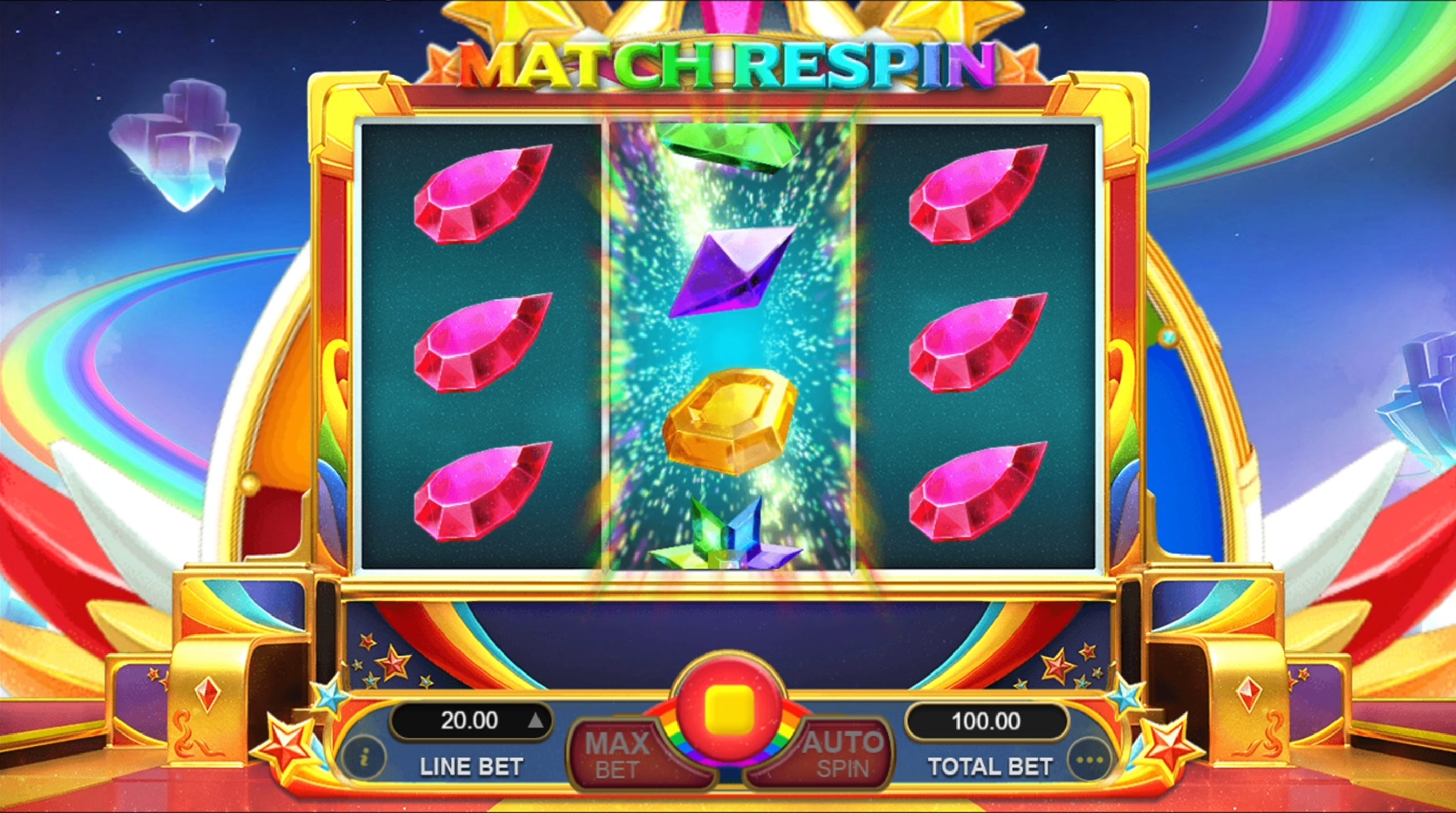
Jewel Land is a 3x3 reels video slot game with 5 fixed paylines. Three matching symbols along any payline from leftmost reel to right has a corresponding win amount. The game has two features: Match Respin and Star Wheel Multiplier.
During Match Respins, two matching reels with same symbols are held while the other reel respins for the chance to trigger multipliers. If the result of the respin is that all three reels do NOT have the same symbols, the reels are evaluated for any winning combination and are paid accordingly. If the result of the respin is that all three reels have the same matching symbols, the Star Wheel Multiplier is triggered.
Whenever there are 3 matching same symbol reels, the Star Wheel Multiplier would be triggered and the wheel with x2, x3, x4, x5, and x10 multipliers would spin for a chance to have this multiplier applied to the symbol payout of the triggering spin.
Game Symbol
Symbol combination payouts are listed on the paytable. Win amount is computed by multiplying the payout value by the line bet – except for the scatter payout which is multiplied by total bet.
 3x 60 |
 3x 25 |
 3x 20 |
 3x 15 |
 3x 7 |
 3x 6 |
 3x 5 |
 3x 4 |
 3x 2 |
Wild Symbol
Wild symbol substitutes for all symbols on a possible win line. Wild symbols payout for 3-of-a-kind combination and is multiplied by line bet.
The Wild symbol would be available on ALL three reels and could appear either stacked or singular.
Match Respins
If there are 2 matching reels with same symbols, Match Respin would be triggered and the unmatched reel would respin for a chance to have the same symbols as the other two. If all three reels match and has the same symbol, the Star Wheel Multiplier is triggered for a chance to gain up to x10 multipliers.
Since wild symbols substitute for other symbols, getting a stack of Wild symbols on the reel could serve as the second matching reel.

Example
Reel 3 would respin since Reel 1 and Reel 2 are matching. The Wilds on Reel 2 act as a match for the fl0wer symbols on Reel 1

Reel 3 would respin since Reel 1 and Reel 2 are matching. The Wilds on both Reel 1 and Reel 2 substitute for the fl0wer symbols and both reels now match.
Reel 3 would respin since Reel 1 and Reel 2 are matching. The Wilds on both Reel 1 and Reel 2 substitute for the fl0wer symbols and both reels now match.
If all 3 reels match, the Star Wheel Multiplier is triggered for a chance to gain up to x10 multipliers.

Star Wheel Multiplier Whenever there are 3 matching same symbol reels, the Star Wheel Multiplier would be triggered and the wheel with x2, x3, x4, x5, and x10 multipliers would spin for a chance to have this multiplier applied to the symbol payout of the triggering spin.

Example
Line bet: USD 1.00
Total bet: USD 20.00
Multiplier: x4
Line payout: 24 (3-of-a-kid payout for fl0wer symbol ) x USD 1.00 (total bet) x 4 (multiplier) = USD 96.00
Total win: USD 96.00
How To Play
- Choose the Total Bet per round by selecting a Line Bet value to be applied on each paylines.
- To start the round, click the SPIN button.
- Once the reels stop, the combination of symbols displayed determine the payout as could be seen on the paytable. Check the total win on the WIN field.
BET
The total bet is shown in TOTAL BET display.
Player could change the bet by changing the bet value (increase or decrease) which would be applied on all the number of paylines.
PAYLINES OR PAY WAYS & PAYTABLE
The number of game paylines or pay ways is fixed. The game payline or pay ways patterns, and the paytable that show the winning symbol combination payout are displayed by clicking on the “i” button.
WIN
Any total win in the game round will be displayed on the WIN field. The win amount for each combination could be seen on the info table where the paytable, paylines, and feature information are. Only the highest payline win will be paid.
If the game has a feature, all winnings from features triggered are added to the payline or pay way total win. If the game has a feature, all winning combinations are paid out at the end of a game round/spin and NOT at the end of the feature triggered.
For games with Free Spin feature, each free spin is played with the same line bet chosen during the game round that triggered it. The bet cannot be changed during a currently running game round or feature.
Reconnecting Games
If in the middle of the main game the player disconnected from the Internet, the spin will be automatically completed. Once the player re-opens the game, it will start from the very beginning. Players previous wins will be paid. To check the previous outcome, click on History button after login.
If the main game is disconnected from the Internet during a spin using the Auto Spin function, the spin will be automatically completed, but further spins will not automatically start. The game’s previous wins will be paid. To check the previous outcome, click on History button after login.
If the game is disconnected from the Internet during the Free Spins, Bonus Game and/or other feature, the player will be automatically directed back to the game after login to continue the game. Players previous wins will be paid. To check the previous outcome, click on History button after login.
Do note that a malfunction voids all pays and plays.
Game Actions/Buttons - Web Version
| Button | Name | Description | ||||
|---|---|---|---|---|---|---|
|
Bet panel - Contains the actionable buttons and fields related to the game |
||||||
|
“i” button | Displays the info table containing the paytable data, paylines, and information regarding the features of the game. | ||||
|
Line Bet/Bet |
Line Bet is a dropdown option for games based on paylines that lets player choose how much to bet for each payline available. Bet is a dropdown option for games based on payways that lets player choose how much to bet for each credit available on a payways game. Simply click on the chosen bet value to apply it for the succeeding spin. |
||||
|
|
Max Bet Button |
Automatically selects the highest bet denomination listed on the Line Bet dropdown button. |
||||
|
Spin button |
During the main game, press this to start a normal spin. |
||||
|
Play button |
If the game has a feature and it is triggered, this button will start the feature. |
||||
|
Stop button |
Shows up a few seconds before the reels land one by one. This stops the reels instantly. |
||||
|
Total Bet |
No action required. Displays the total wager placed per round. Total bet is computed automatically by multiplying the configured line bet by the number of paylines for the game. |
||||
|
Basic Auto Spin Panel |
Shows the corresponding number of auto spins that could be triggered. Player could choose either 10, 25, 50, 75, 100, or unlimited auto spins. Choosing Unlimited would mean the auto spins will continue player has insufficient balance. |
|||||
|
Advanced Auto Spin Panel |
Shows the following:
Auto Spin settings of the game would follow all the conditions configured on this panel. |
|||||
|
Stop Loss Limit |
Allows the player to set stop loss limit based on accumulated total bet. Once the limit has been met auto spin will stop.
Auto Spin settings of the game would follow all the conditions configured on this panel. |
|||||
|
Stop Auto Spin Options |
Allows the player to stop auto spin with specific condition :
|
|||||
|
“...” or More button |
Shows the following:
|
||||
|
Sound button |
Toggles mute and unmute for the sounds of the game |
||||
|
Game Help button |
Shows the game help info page for the game |
||||
|
Game History |
Displays the transaction history of the user account including bets and wins on every spin. |
||||
|
Back button |
Redirects to the game lobby site |
||||
|
Play for Real and Fund Transfer |
Play for Real button changes the play mode from Fun Play (demo) to Real Play (pay per spin). Fund Transfer button redirects to the Wallet of the user account. Note: These two buttons are ONLY displayed if the operator has enabled this configuration. |
||||
|
Home button |
Redirects the player to either the lobby site or the site that the operator has configured. Note: This button is ONLY displayed if the operator has enabled this configuration. |
||||
|
Black bar menu - Shows the following:
|
||||||
|
Type of gameplay |
Funplay (demo mode) and Pay to Play |
||||
|
Total Bet (black bar) |
No action required. Displays the total wager placed per round. Total bet is computed automatically by multiplying the configured line bet by the number of paylines for the game. |
||||
|
Total Win |
Total Win amount from the previous round |
||||
|
Balance |
Remaining player balance (in currency) |
||||
|
Time |
Current time (in timezone) |
||||
Game Actions/Buttons - Mobile Version
| Button | Name | Description | ||||||||
|---|---|---|---|---|---|---|---|---|---|---|
|
Game Help button | Shows the game help info page for the game | ||||||||
|
Option button |
Shows the following:
|
||||||||
|
Sound button | Toggles mute and unmute | ||||||||
|
Auto Spin Button | Displays the Advanced Auto Spin Window | ||||||||
|
Basic Auto Spin Panel | Shows the corresponding number of auto spins that could be triggered. Player could choose either 10, 25, 50, 75, 100, or unlimited auto spins. Choosing Unlimited would mean the auto spins will continue player has insufficient balance. | ||||||||
|
Advanced Auto Spin Window |
Shows the following:
Auto Spin settings of the game would follow all the conditions configured on this panel. |
||||||||
|
Stop Loss Limit |
Allows the player to set stop loss limit based on accumulated total bet. Once the limit has been met auto spin will stop.
Auto Spin settings of the game would follow all the conditions configured on this panel. |
||||||||
|
Start Auto Spin Button | Click Start button to start the autospin. | ||||||||
|
Stop Auto Spin Options |
Allows the player to stop auto spin with specific condition :
|
||||||||
|
Settings button |
Shows the following:
|
||||||||
|
Bet Settings |
Shows the following:
|
||||||||
|
Total Bet | No action required. Displays the total wager placed per round. Total bet is computed automatically by multiplying the configured line bet by the number of paylines for the game | ||||||||
|
|
Paylines/Way Wins | Paylines for games which are based on paylines, and way wins for games which are based on pay ways are indicated as fixed numbers (represented as N on the screenshot). | ||||||||
|
|
Line Bet/Bet |
Line Bet is a slider option for games based on paylines that lets player choose how much to bet for each payline available. Bet is a slider option for games based on payways that lets player choose how much to bet for each credit available on a payways game. Drag the slider to the chosen bet value to apply it for the succeeding spin. |
||||||||
|
|
Sound Setting | Slider option that lets the player set the volume of the game. | ||||||||
|
"i button" | Displays the info table containing the paytable data, paylines, and information regarding the features of the game. | ||||||||
|
Home Button |
Redirects the player to either the lobby site or the site that the operator has configured. Note: This button is ONLY displayed if the operator has enabled this configuration. |
||||||||
|
"x" button | Closes the settings menu and returns the player the the game area. | ||||||||
|
Play for Real and Fund Transfer |
Play for Real button changes the play mode from Fun Play (demo) to Real Play (pay per spin). Fund Transfer button redirects to the Wallet of the user account. Note: These two buttons are ONLY displayed if the operator has enabled this configuration. |
||||||||
|
Game History | Displays the transaction history of the user account including bets and wins on every spin. | ||||||||
|
Back button | Redirects to the game lobby site | ||||||||
|
Spin button | During the main game, press this to start a normal spin. | ||||||||
|
Play button | If the game has a feature and it is triggered, this button will start the feature. | ||||||||
|
Stop Auto Spin Button | Counts the remaining auto spin (if applicable) and stops the auto spin when pressed | ||||||||
|
Fast-forward button | Stops all reels and skips the line-by-line win presentation. | ||||||||
|
Stop button | Shows up a few seconds before the reels land one by one. This stops the reels instantly. | ||||||||
Black bar menu (landscape) Shows the following:
|
||||||||||
Black bar menu (portrait) Shows the following:
|
||||||||||
|
Total Bet (black bar) |
No action required. Displays the total wager placed per round. Total bet is computed automatically by multiplying the configured line bet by the number of paylines for the game. |
||||||||
|
Total Win (black bar) | Total win amount from the previous round | ||||||||
|
Black (black bar) | Remaining player balance (in currency) | ||||||||
|
Time | Current time (in timezone) | ||||||||

Kung Fu Furry
Kung Fu Furry
| No. | Description | |
|---|---|---|
| 1. | Dual Reel | Reel A & Reel B |
| 2. | Number of Lines | 16 Lines (8 Lines Reel A + 8 Lines Reel B) |
| 3. | Default RTP/Final RTP | 96.53 % |
| 4. | Hit frequency |
Ultra - high |
| 5. | Volatility Index |
4.860 (Normal Volatility) |
Kung Fu Furry is a dual 3x3 8-line video slot game with 16 fixed paylines. The game area is divided into two reel sets: Reel A (left reel) and Reel B (right reel).
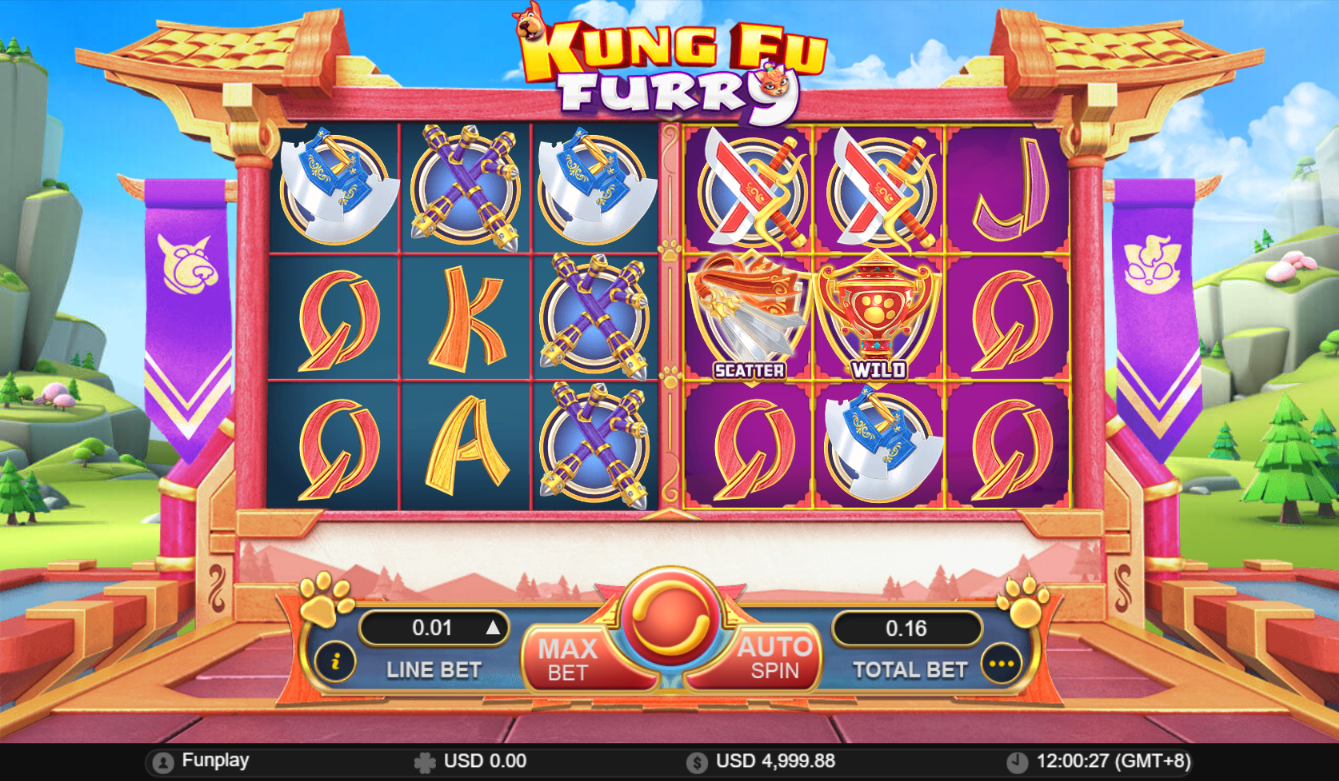
Three matching symbols along any payline from leftmost to right, and topmost to bottom has a corresponding win amount.
Game Symbols
High paying symbols
All high paying symbols pay for three-of-a-kind combinations only. The dog symbol and cat symbol pays the same value with an exception that dog symbol only shows on Reel A and the cat symbol only shows on Reel B.
 Only shows on left reel 3x 200 |
 Only shows on right reel 3x 200 |
 3x 100 |
 3x 75 |
 3x 50 |
 3x 25 |
Low paying symbols
All low paying symbols pay for three-of-a-kind combinations only.
 3x 10 |
 3x 5 |
 3x 3 |
 3x 2 |

Wild symbol substitutes for all symbols on a possible win line EXCEPT for the Battle symbol  and
and Scatter symbol. The Wild symbol would ONLY be available on the middle position
of both reel sets. During free spins, Wild has a special function besides substituting for other symbols. Wild is able to reset the number of free spins on the reel it appeared in. For the details on this
special function, refer to Free Spins explanation.
Example:
Combination symbols of two J symbols in one payline together with 1 wild symbol will win a 3-of-a-kind payout.

The Wild symbol could also award multipliers during free spins. The multiplier would apply to the win amount of the payline it appeared in. Wild symbol multiplier will be awarded randomly and could be x1, x2, x3, x4, x5, or x10.
Example:
Line bet: USD 2.50
Total Bet: USD 40.00
During free spins, two J symbols in one payline together with 1 wild symbol which has x10 multiplier written on it.
Payout: USD 2.50 (line bet) x 2 (3-of-a-kind payout) x 10 (wild multiplier) = USD 50.00 Total Win: USD 50.00

The Battle symbol’s main function is to trigger the free spin feature of the game. The Battle symbol would ONLY be available on the middle position of both reel sets.
To trigger free spins feature, The Battle symbol must appear on the middle reel of both Reel A and Reel B. Player will be awarded with 3 free spins on each reel sets.
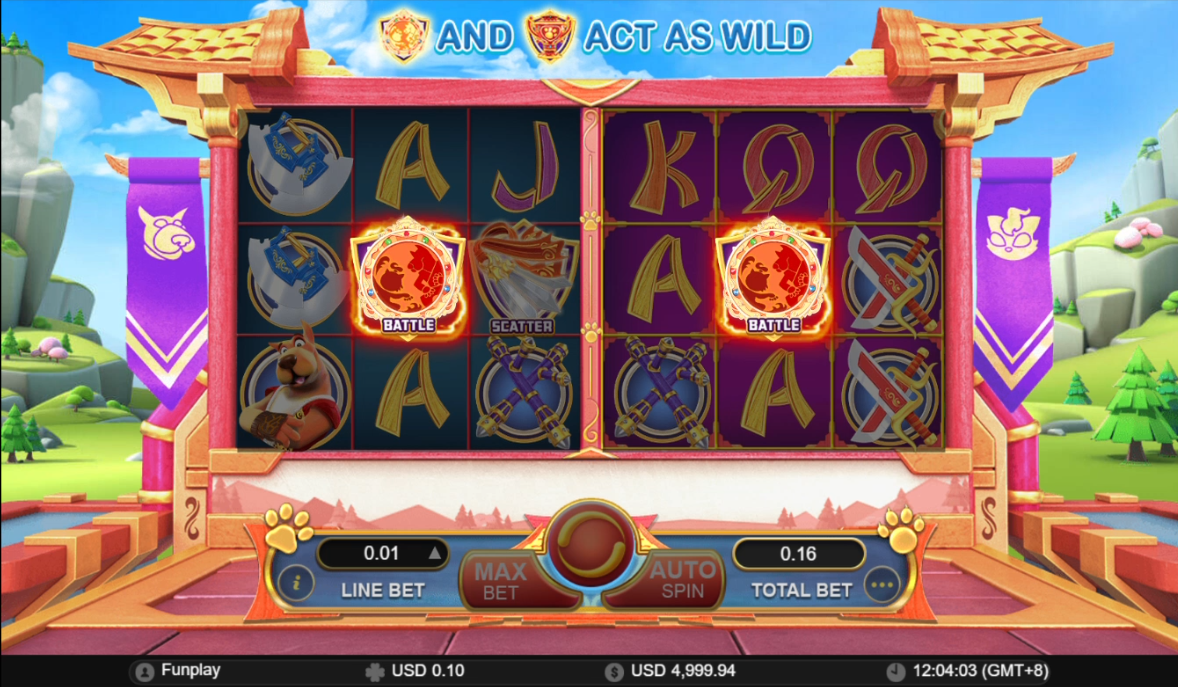
Asides triggering the free spin feature, the Battle symbol also acts as a wild. It can substitute for any symbols except for Scatter, just like a normal wild symbol.
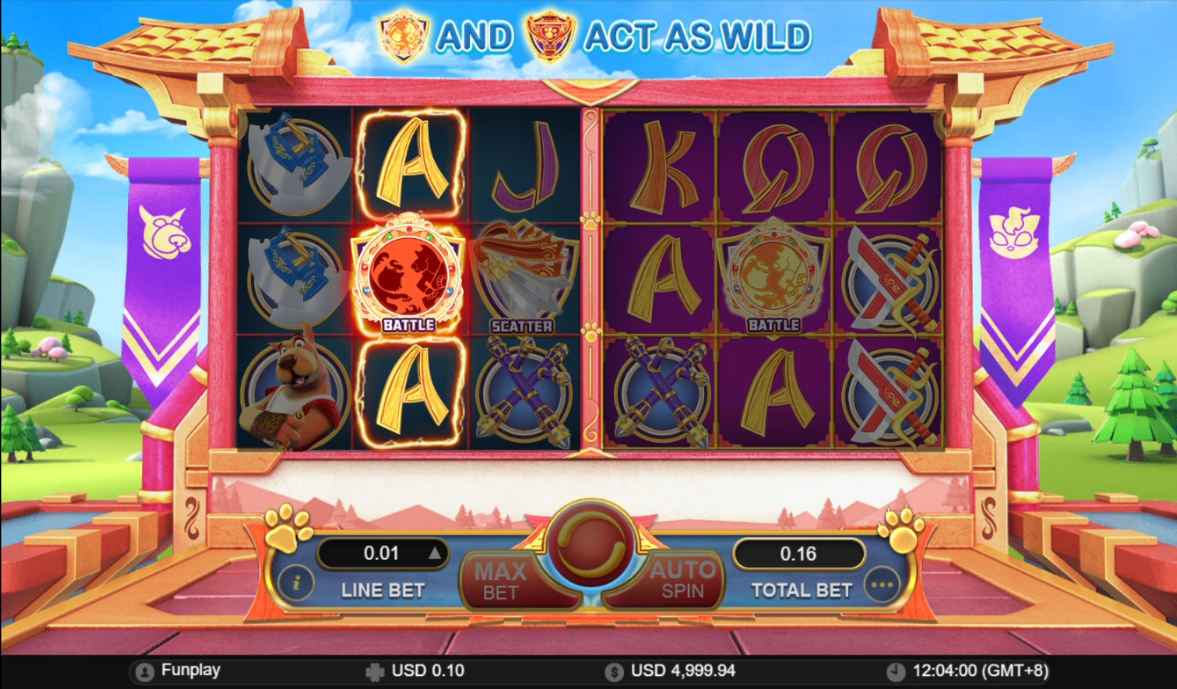
During free spins, the battle symbol has a special function to reset the number of free spins for both sets of reels. For the details on this special function, refer to Free Spins explanation.
Scatter symbol

Scatter symbols are available on both Reels A and B. Scatter win is computed by multiplying the line bet by the respective number of scatter symbol payout on each reel set. A minimum of 3 scatter symbols on each reel set is needed to win a scatter payout.
Note: Number of scatter symbols on Reel A would be counted separately from the number of scatter symbols appearing on Reel B. It would not be added together when computing for the payout.
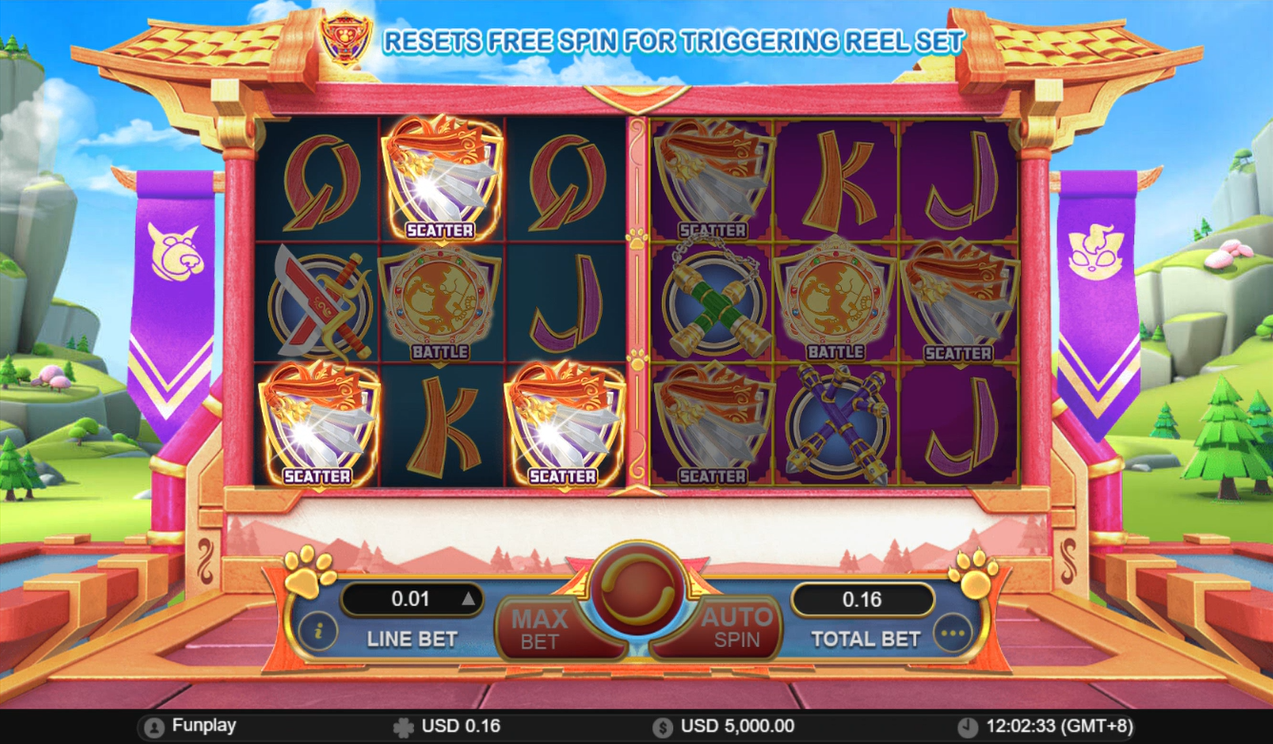
Example:
Reel A - there is 1 scatter and on Reel B - there are 5 scatters.
Line Bet = USD 2.50
Total bet = USD 40.00 (USD 2.50 line bet x 16 lines)
Scatter payout (Reel A): None.
Scatter payout (Reel B): USD 2.50 (line bet) x 50 (5 of a kind scatters payout) = USD 125.00
Total Scatter Payout is USD 125.00
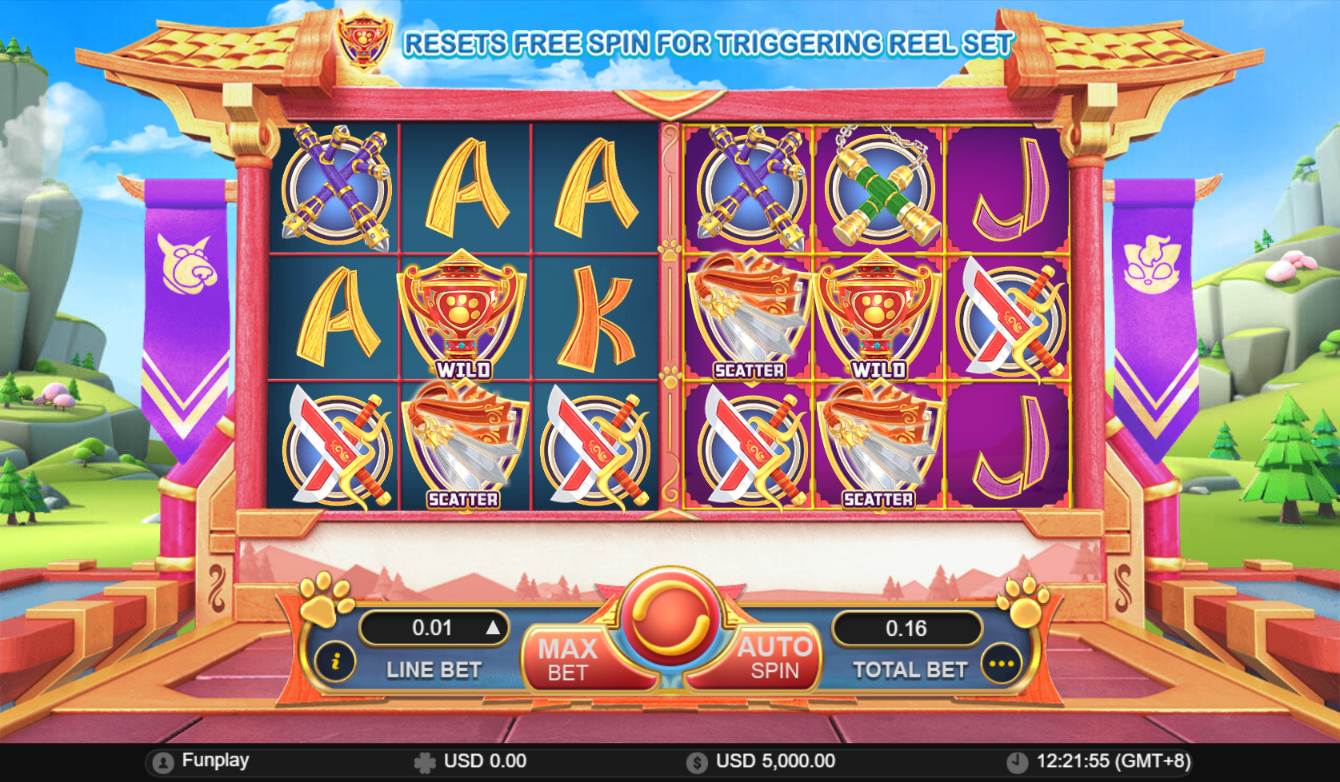
Example:
Reel A - there is 1 scatter and on Reel B - there are 2 scatters.
Line Bet = USD 2.50
Total bet = USD 40.00 (USD 2.50 line bet x 16 lines)
Scatter payout (Reel A): None.
Scatter payout (Reel B): None.
Player will NOT get any scatter winning payouts because there should be at least 3 on a reel in order to have a payout.
Although overall there are 3 scatters, the reels pay separately and the payout would only valid if each reel set have a minimum of 3 scatters.
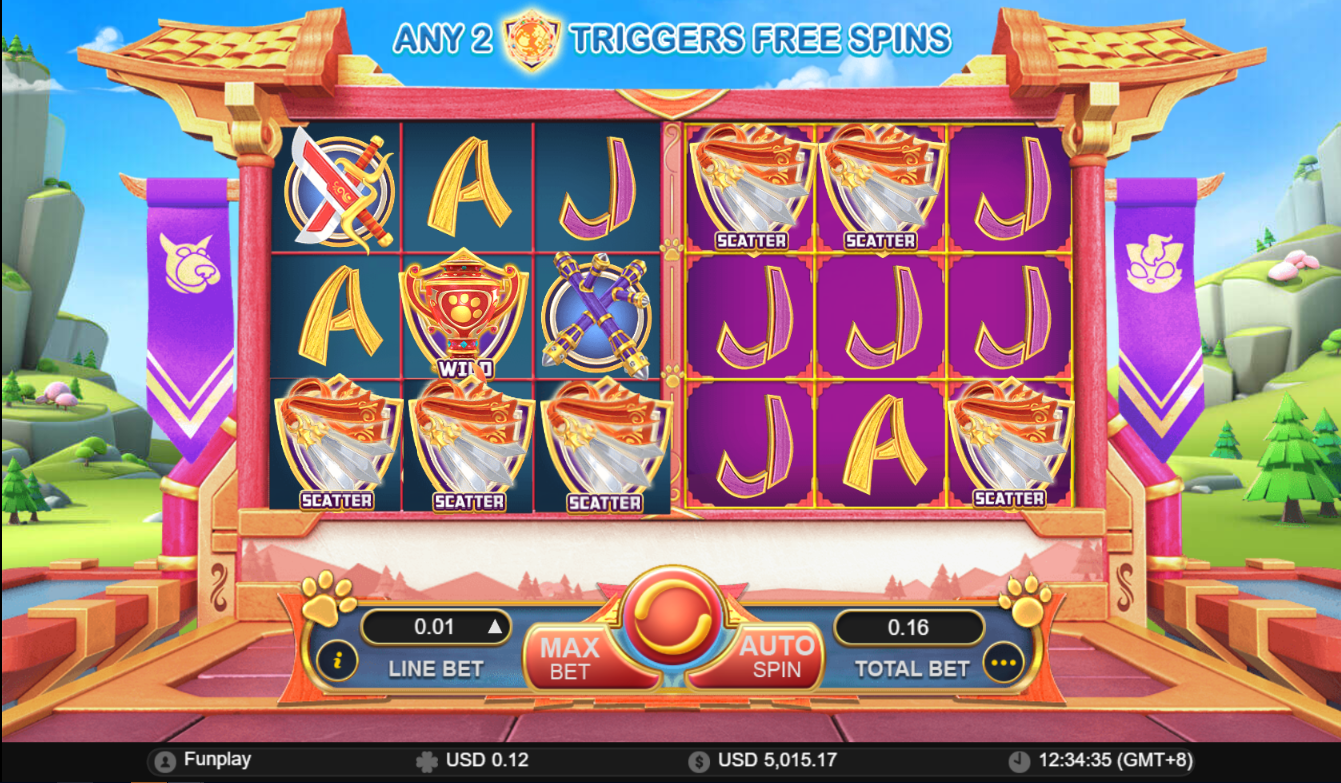
Example:
Reel A - there are 3 scatters and on Reel B - there are 3 scatters.
Line Bet = USD 2.50
Total bet = USD 40.00 (USD 2.50 line bet x 16 lines)
Scatter payout (Reel A): USD 2.50 (line bet) x 8 (3 scatters payout) = USD 20.00 Scatter payout (Reel B):USD 2.50 (line bet) x 8 (3 scatters payout) = USD 20.00 Total Scatter Payout is USD 40.00
Note: Scatter payout is computed separately on each reel, so instead of adding the scatters on Reel A and B and getting a 6 of a kind of scatter symbol payout, it will be separated into 3 of a kind payout on Reel A and 3 of a kind of payout on Reel B.
Free Spins
Free spins are triggered from the main game when the Battle symbol appears in the middle reel position of both Reels A and B.
The player is awarded with default 3 free spins on both Reel A and Reel B. The players could be awarded with a maximum of 200 free spins.
During free spins, the Wild and Battle symbols can replace any symbol EXCEPT scatter symbol, acting as a wild, but also has an additional special function to reset the free spins.
Reset Free SpinsThe number of free spins will go back to the default rewarded number of free spins which is 3 free spins.
Reset free spins is NOT additional free spins. Reset free spins will not add the number of default free spins on top of the remaining free spins.
During free spins, when the wild symbol appears on the middle position of either Reel A and/or Reel B, the free spins for the reel set where it appeared will reset to 3 free spins.
If Wild appears on the middle reel position of Reel A , the free spins of Reel A will reset to 3 free spins.
Reel B will remain as is.
If Wild appears on the middle reel position of Reel B , the free spins of Reel B will reset to 3 free spins.
Reel A will remain as is.
If wild appear on the middle reel position of both Reel A and B, the free spins of both reel sets will reset to 3 free spins.


Example :
Player is awarded with free spins and Reel A and Reel B each has 3 free spins. With only 1 remaining free spin on Reel A and Reel B, a Wild symbol appears on the middle reel position of Reel A and none on the middle reel position Reel B.
Reel A free spin will reset to 3 free spins, while on Reel B it will not change and will still have 1 remaining free spin only. Note: Wild symbol resets the number of free spins for Reel A and NOT add 3 free spins to the remaining free spins (i.e. it will NOT be 4 remaining spins).

When Reel B runs out of free spins but Reel A still has remaining free spins, a banner would be displayed over Reel B. The reel B is inactive during this time.
The banner covering Reel B states that only by getting a Battle symbol on Reel A would the free spins for both reels be reset.
Once the free spins for BOTH Reels A and B are consumed, the feature is completed and the total wins from the free spin feature is displayed before reverting back to the main game.
Free Spins - Dual Reels Reset
During free spins, when the Battle symbol appears in the middle reel position of Reel A or Reel B, the free spins for BOTH Reels will be reset to 3 free spins
Player is awarded with Free spins where Reel A and Reel B each has 3 free spins. On 0 remaining free spin on Reel A and Reel B , The Battle symbol appear on the middle reel position of Reel A and none on the middle reel position Reel B. Reel A and Reel B free spin will reset to 3 free spins .


Example :
Player awarded with Free spins and Reel A and Reel B each has 3 free spins.
On 0 remaining free spins on Reel A and Reel B, the Wild symbol appears on the middle reel position of Reel A and none on the middle reel position Reel B.
Reel A will reset to 3 Free spins and Reel B will be covered with the battle banner -- this reel set is now inactive. On 0 remaining free spins of Reel A, the Battle symbol appears on the middle reel position and it will reset both Reel A and Reel B with 3 free spins.
Battle banner that covers Reel B will lift up to show that the reel is now active again with 3 Free spins.
Note : Free spins is reset to 3 free spins and it is NOT added into the current remaining free spins.
Free Spins - Wild and Battle Symbols
Asides resetting the free spins for the reels, during free spins, the Wild and Battle symbol can still substitute for other symbols to form winning combinations.
It is possible to reset the free spin count of the reel to 3 free spins on one reel set or both set reels, while forming combination winning line.
Example :
Reel A - The battle symbol substitutes for other symbol to form winning combination. It also reset both reels A and B free spins to 3 free spins
Line Bet = USD 2.50
Total bet = USD 40.00 (USD 2.50 line bet x 16 lines)
Reel A: Win on Line 2 = USD 2.50 (line bet) x 25 ( 3 of a kind 62.50payout) = USD
Reel B: Win on Line 2 = USD 2.50 (line bet) x 2 ( 3 of a kind Total Win payout is USD 67.50 payout) = USD 5.00
How To Play
- Choose the Total Bet per round by selecting a Line Bet value to be applied on each paylines.
- To start the round, click the SPIN button.
- Once the reels stop, the combination of symbols displayed determine the payout as could be seen on the paytable. Check the total win on the WIN field.
BET
The total bet is shown in TOTAL BET display.
Player could change the bet by changing the bet value (increase or decrease) which would be applied on all the number of paylines.
PAYLINES OR PAY WAYS & PAYTABLE
The number of game paylines or pay ways is fixed. The game payline or pay ways patterns, and the paytable that show the winning symbol combination payout are displayed by clicking on the “i” button.
WIN
Any total win in the game round will be displayed on the WIN field. The win amount for each combination could be seen on the info table where the paytable, paylines, and feature information are. Only the highest payline win will be paid.
If the game has a feature, all winnings from features triggered are added to the payline or pay way total win. If the game has a feature, all winning combinations are paid out at the end of a game round/spin and NOT at the end of the feature triggered.
For games with Free Spin feature, each free spin is played with the same line bet chosen during the game round that triggered it. The bet cannot be changed during a currently running game round or feature.
Reconnecting Games
If in the middle of the main game the player disconnected from the Internet, the spin will be automatically completed. Once the player re-opens the game, it will start from the very beginning. Players previous wins will be paid. To check the previous outcome, click on History button after login.
If the main game is disconnected from the Internet during a spin using the Auto Spin function, the spin will be automatically completed, but further spins will not automatically start. The game’s previous wins will be paid. To check the previous outcome, click on History button after login.
If the game is disconnected from the Internet during the Free Spins, Bonus Game and/or other feature, the player will be automatically directed back to the game after login to continue the game. Players previous wins will be paid. To check the previous outcome, click on History button after login.
Do note that a malfunction voids all pays and plays.
Game Actions/Buttons - Web Version
| Button | Name | Description | ||||
|---|---|---|---|---|---|---|
|
Bet panel - Contains the actionable buttons and fields related to the game |
||||||
|
“i” button | Displays the info table containing the paytable data, paylines, and information regarding the features of the game. | ||||
|
Line Bet/Bet |
Line Bet is a dropdown option for games based on paylines that lets player choose how much to bet for each payline available. Bet is a dropdown option for games based on payways that lets player choose how much to bet for each credit available on a payways game. Simply click on the chosen bet value to apply it for the succeeding spin. |
||||
|
|
Max Bet Button |
Automatically selects the highest bet denomination listed on the Line Bet dropdown button. |
||||
|
Spin button |
During the main game, press this to start a normal spin. |
||||
|
Play button |
If the game has a feature and it is triggered, this button will start the feature. |
||||
|
Stop button |
Shows up a few seconds before the reels land one by one. This stops the reels instantly. |
||||
|
Total Bet |
No action required. Displays the total wager placed per round. Total bet is computed automatically by multiplying the configured line bet by the number of paylines for the game. |
||||
|
Basic Auto Spin Panel |
Shows the corresponding number of auto spins that could be triggered. Player could choose either 10, 25, 50, 75, 100, or unlimited auto spins. Choosing Unlimited would mean the auto spins will continue player has insufficient balance. |
|||||
|
Advanced Auto Spin Panel |
Shows the following:
Auto Spin settings of the game would follow all the conditions configured on this panel. |
|||||
|
Stop Loss Limit |
Allows the player to set stop loss limit based on accumulated total bet. Once the limit has been met auto spin will stop.
Auto Spin settings of the game would follow all the conditions configured on this panel. |
|||||
|
Stop Auto Spin Options |
Allows the player to stop auto spin with specific condition :
|
|||||
|
“...” or More button |
Shows the following:
|
||||
|
Sound button |
Toggles mute and unmute for the sounds of the game |
||||
|
Game Help button |
Shows the game help info page for the game |
||||
|
Game History |
Displays the transaction history of the user account including bets and wins on every spin. |
||||
|
Back button |
Redirects to the game lobby site |
||||
|
Play for Real and Fund Transfer |
Play for Real button changes the play mode from Fun Play (demo) to Real Play (pay per spin). Fund Transfer button redirects to the Wallet of the user account. Note: These two buttons are ONLY displayed if the operator has enabled this configuration. |
||||
|
Home button |
Redirects the player to either the lobby site or the site that the operator has configured. Note: This button is ONLY displayed if the operator has enabled this configuration. |
||||
|
Black bar menu - Shows the following:
|
||||||
|
Type of gameplay |
Funplay (demo mode) and Pay to Play |
||||
|
Total Bet (black bar) |
No action required. Displays the total wager placed per round. Total bet is computed automatically by multiplying the configured line bet by the number of paylines for the game. |
||||
|
Total Win |
Total Win amount from the previous round |
||||
|
Balance |
Remaining player balance (in currency) |
||||
|
Time |
Current time (in timezone) |
||||
Game Actions/Buttons - Mobile Version
| Button | Name | Description | ||||||||
|---|---|---|---|---|---|---|---|---|---|---|
|
Game Help button | Shows the game help info page for the game | ||||||||
|
Option button |
Shows the following:
|
||||||||
|
Sound button | Toggles mute and unmute | ||||||||
|
Auto Spin Button | Displays the Advanced Auto Spin Window | ||||||||
|
Basic Auto Spin Panel | Shows the corresponding number of auto spins that could be triggered. Player could choose either 10, 25, 50, 75, 100, or unlimited auto spins. Choosing Unlimited would mean the auto spins will continue player has insufficient balance. | ||||||||
|
Advanced Auto Spin Window |
Shows the following:
Auto Spin settings of the game would follow all the conditions configured on this panel. |
||||||||
|
Stop Loss Limit |
Allows the player to set stop loss limit based on accumulated total bet. Once the limit has been met auto spin will stop.
Auto Spin settings of the game would follow all the conditions configured on this panel. |
||||||||
|
Start Auto Spin Button | Click Start button to start the autospin. | ||||||||
|
Stop Auto Spin Options |
Allows the player to stop auto spin with specific condition :
|
||||||||
|
Settings button |
Shows the following:
|
||||||||
|
Bet Settings |
Shows the following:
|
||||||||
|
Total Bet | No action required. Displays the total wager placed per round. Total bet is computed automatically by multiplying the configured line bet by the number of paylines for the game | ||||||||
|
|
Paylines/Way Wins | Paylines for games which are based on paylines, and way wins for games which are based on pay ways are indicated as fixed numbers (represented as N on the screenshot). | ||||||||
|
|
Line Bet/Bet |
Line Bet is a slider option for games based on paylines that lets player choose how much to bet for each payline available. Bet is a slider option for games based on payways that lets player choose how much to bet for each credit available on a payways game. Drag the slider to the chosen bet value to apply it for the succeeding spin. |
||||||||
|
|
Sound Setting | Slider option that lets the player set the volume of the game. | ||||||||
|
"i button" | Displays the info table containing the paytable data, paylines, and information regarding the features of the game. | ||||||||
|
Home Button |
Redirects the player to either the lobby site or the site that the operator has configured. Note: This button is ONLY displayed if the operator has enabled this configuration. |
||||||||
|
"x" button | Closes the settings menu and returns the player the the game area. | ||||||||
|
Play for Real and Fund Transfer |
Play for Real button changes the play mode from Fun Play (demo) to Real Play (pay per spin). Fund Transfer button redirects to the Wallet of the user account. Note: These two buttons are ONLY displayed if the operator has enabled this configuration. |
||||||||
|
Game History | Displays the transaction history of the user account including bets and wins on every spin. | ||||||||
|
Back button | Redirects to the game lobby site | ||||||||
|
Spin button | During the main game, press this to start a normal spin. | ||||||||
|
Play button | If the game has a feature and it is triggered, this button will start the feature. | ||||||||
|
Stop Auto Spin Button | Counts the remaining auto spin (if applicable) and stops the auto spin when pressed | ||||||||
|
Fast-forward button | Stops all reels and skips the line-by-line win presentation. | ||||||||
|
Stop button | Shows up a few seconds before the reels land one by one. This stops the reels instantly. | ||||||||
Black bar menu (landscape) Shows the following:
|
||||||||||
Black bar menu (portrait) Shows the following:
|
||||||||||
|
Total Bet (black bar) |
No action required. Displays the total wager placed per round. Total bet is computed automatically by multiplying the configured line bet by the number of paylines for the game. |
||||||||
|
Total Win (black bar) | Total win amount from the previous round | ||||||||
|
Black (black bar) | Remaining player balance (in currency) | ||||||||
|
Time | Current time (in timezone) | ||||||||

Lion Dance
Lion Dance
| No. | Description | |
|---|---|---|
| 1. | Reels | 3 x 3 |
| 2. | Number of Payways | 27 Ways |
| 3. | Default RTP | 96.27 % |
| 4. | Hit frequency |
6.20 (Normal Frequency) |
| 5. | Volatility Index |
8.7818 (Normal Volatility) |
| 6. | Min and Max Bet |
Reflected on the game interface based on player’s currency. |
Lion Dance is a 3x3 collapsing reels video slot game with 27 pay ways. Three adjacent matching symbols along any pay ways from leftmost reel to right have a corresponding win amount.
Winning symbols are removed from the reels, existing and new symbols from top fall down in sequence to fill in the gaps. The reels are reassessed for new winning combinations and are paid accordingly. This process continues until there are no more winning combinations after replacement of symbols.

Game Symbol
Symbol combination payouts are listed on the paytable. Win amount is computed by multiplying the payout value by the bet
| High-paying Symbols | |||
|---|---|---|---|

|
|||
| Low-paying Symbols | |||
|---|---|---|---|

|
|||

Wild Symbol
Wild symbol substitutes for all symbols on a possible pay way and appears on all reels.
Only the highest payout would be paid.Payouts with the wild symbol will be evaluated to see which combination would award the highest pay – either the Wild symbol payout or the combination payout wherein the wild would replace the other symbols.
Example:
Symbols on the reel: Wild – Wild – J symbol
Bet: USD 0.04 , Total bet: USD 26.96
Payout:
2-of-a-kind payout for Wild Symbol - 5 x USD 0.04 (Bet) = USD 0.20
3-of-a-kind payout for J Symbol - 4 x USD 0.04 (Bet) = USD 0.16
Player is paid with the highest pay – which is the Wild payout USD 0.20
Example:
Symbols on the reel: Wild – Wild – Drum symbol
Bet: USD 0.04 , Total bet: USD 26.96
Payout:
2-of-a-kind payout for Wild Symbol - 5 x USD 0.04 (Bet) = USD 0.20
3-of-a-kind payout for Drum Symbol - 14 x USD 0.04 (Bet) = USD 0.56
Player is paid with the highest pay – which is Drum symbol payout USD 0.56
How To Play
- Choose the Total Bet per round by selecting a Line Bet value to be applied on each paylines.
- To start the round, click the SPIN button.
- Once the reels stop, the combination of symbols displayed determine the payout as could be seen on the paytable. Check the total win on the WIN field.
BET
The total bet is shown in TOTAL BET display.
Player could change the bet by changing the bet value (increase or decrease) which would be applied on all the number of paylines.
PAYLINES OR PAY WAYS & PAYTABLE
The number of game paylines or pay ways is fixed. The game payline or pay ways patterns, and the paytable that show the winning symbol combination payout are displayed by clicking on the “i” button.
WIN
Any total win in the game round will be displayed on the WIN field. The win amount for each combination could be seen on the info table where the paytable, paylines, and feature information are. Only the highest payline win will be paid.
If the game has a feature, all winnings from features triggered are added to the payline or pay way total win. If the game has a feature, all winning combinations are paid out at the end of a game round/spin and NOT at the end of the feature triggered.
For games with Free Spin feature, each free spin is played with the same line bet chosen during the game round that triggered it. The bet cannot be changed during a currently running game round or feature.
Reconnecting Games
If in the middle of the main game the player disconnected from the Internet, the spin will be automatically completed. Once the player re-opens the game, it will start from the very beginning. Players previous wins will be paid. To check the previous outcome, click on History button after login.
If the main game is disconnected from the Internet during a spin using the Auto Spin function, the spin will be automatically completed, but further spins will not automatically start. The game’s previous wins will be paid. To check the previous outcome, click on History button after login.
If the game is disconnected from the Internet during the Free Spins, Bonus Game and/or other feature, the player will be automatically directed back to the game after login to continue the game. Players previous wins will be paid. To check the previous outcome, click on History button after login.
Do note that a malfunction voids all pays and plays.
Game Actions/Buttons - Web Version
| Button | Name | Description | ||||
|---|---|---|---|---|---|---|
|
Bet panel - Contains the actionable buttons and fields related to the game |
||||||
|
“i” button | Displays the info table containing the paytable data, paylines, and information regarding the features of the game. | ||||
|
Line Bet/Bet |
Line Bet is a dropdown option for games based on paylines that lets player choose how much to bet for each payline available. Bet is a dropdown option for games based on payways that lets player choose how much to bet for each credit available on a payways game. Simply click on the chosen bet value to apply it for the succeeding spin. |
||||
|
|
Max Bet Button |
Automatically selects the highest bet denomination listed on the Line Bet dropdown button. |
||||
|
Spin button |
During the main game, press this to start a normal spin. |
||||
|
Play button |
If the game has a feature and it is triggered, this button will start the feature. |
||||
|
Stop button |
Shows up a few seconds before the reels land one by one. This stops the reels instantly. |
||||
|
Total Bet |
No action required. Displays the total wager placed per round. Total bet is computed automatically by multiplying the configured line bet by the number of paylines for the game. |
||||
|
Basic Auto Spin Panel |
Shows the corresponding number of auto spins that could be triggered. Player could choose either 10, 25, 50, 75, 100, or unlimited auto spins. Choosing Unlimited would mean the auto spins will continue player has insufficient balance. |
|||||
|
Advanced Auto Spin Panel |
Shows the following:
Auto Spin settings of the game would follow all the conditions configured on this panel. |
|||||
|
Stop Loss Limit |
Allows the player to set stop loss limit based on accumulated total bet. Once the limit has been met auto spin will stop.
Auto Spin settings of the game would follow all the conditions configured on this panel. |
|||||
|
Stop Auto Spin Options |
Allows the player to stop auto spin with specific condition :
|
|||||
|
“...” or More button |
Shows the following:
|
||||
|
Sound button |
Toggles mute and unmute for the sounds of the game |
||||
|
Game Help button |
Shows the game help info page for the game |
||||
|
Game History |
Displays the transaction history of the user account including bets and wins on every spin. |
||||
|
Back button |
Redirects to the game lobby site |
||||
|
Play for Real and Fund Transfer |
Play for Real button changes the play mode from Fun Play (demo) to Real Play (pay per spin). Fund Transfer button redirects to the Wallet of the user account. Note: These two buttons are ONLY displayed if the operator has enabled this configuration. |
||||
|
Home button |
Redirects the player to either the lobby site or the site that the operator has configured. Note: This button is ONLY displayed if the operator has enabled this configuration. |
||||
|
Black bar menu - Shows the following:
|
||||||
|
Type of gameplay |
Funplay (demo mode) and Pay to Play |
||||
|
Total Bet (black bar) |
No action required. Displays the total wager placed per round. Total bet is computed automatically by multiplying the configured line bet by the number of paylines for the game. |
||||
|
Total Win |
Total Win amount from the previous round |
||||
|
Balance |
Remaining player balance (in currency) |
||||
|
Time |
Current time (in timezone) |
||||
Game Actions/Buttons - Mobile Version
| Button | Name | Description | ||||||||
|---|---|---|---|---|---|---|---|---|---|---|
|
Game Help button | Shows the game help info page for the game | ||||||||
|
Option button |
Shows the following:
|
||||||||
|
Sound button | Toggles mute and unmute | ||||||||
|
Auto Spin Button | Displays the Advanced Auto Spin Window | ||||||||
|
Basic Auto Spin Panel | Shows the corresponding number of auto spins that could be triggered. Player could choose either 10, 25, 50, 75, 100, or unlimited auto spins. Choosing Unlimited would mean the auto spins will continue player has insufficient balance. | ||||||||
|
Advanced Auto Spin Window |
Shows the following:
Auto Spin settings of the game would follow all the conditions configured on this panel. |
||||||||
|
Stop Loss Limit |
Allows the player to set stop loss limit based on accumulated total bet. Once the limit has been met auto spin will stop.
Auto Spin settings of the game would follow all the conditions configured on this panel. |
||||||||
|
Start Auto Spin Button | Click Start button to start the autospin. | ||||||||
|
Stop Auto Spin Options |
Allows the player to stop auto spin with specific condition :
|
||||||||
|
Settings button |
Shows the following:
|
||||||||
|
Bet Settings |
Shows the following:
|
||||||||
|
Total Bet | No action required. Displays the total wager placed per round. Total bet is computed automatically by multiplying the configured line bet by the number of paylines for the game | ||||||||
|
|
Paylines/Way Wins | Paylines for games which are based on paylines, and way wins for games which are based on pay ways are indicated as fixed numbers (represented as N on the screenshot). | ||||||||
|
|
Line Bet/Bet |
Line Bet is a slider option for games based on paylines that lets player choose how much to bet for each payline available. Bet is a slider option for games based on payways that lets player choose how much to bet for each credit available on a payways game. Drag the slider to the chosen bet value to apply it for the succeeding spin. |
||||||||
|
|
Sound Setting | Slider option that lets the player set the volume of the game. | ||||||||
|
"i button" | Displays the info table containing the paytable data, paylines, and information regarding the features of the game. | ||||||||
|
Home Button |
Redirects the player to either the lobby site or the site that the operator has configured. Note: This button is ONLY displayed if the operator has enabled this configuration. |
||||||||
|
"x" button | Closes the settings menu and returns the player the the game area. | ||||||||
|
Play for Real and Fund Transfer |
Play for Real button changes the play mode from Fun Play (demo) to Real Play (pay per spin). Fund Transfer button redirects to the Wallet of the user account. Note: These two buttons are ONLY displayed if the operator has enabled this configuration. |
||||||||
|
Game History | Displays the transaction history of the user account including bets and wins on every spin. | ||||||||
|
Back button | Redirects to the game lobby site | ||||||||
|
Spin button | During the main game, press this to start a normal spin. | ||||||||
|
Play button | If the game has a feature and it is triggered, this button will start the feature. | ||||||||
|
Stop Auto Spin Button | Counts the remaining auto spin (if applicable) and stops the auto spin when pressed | ||||||||
|
Fast-forward button | Stops all reels and skips the line-by-line win presentation. | ||||||||
|
Stop button | Shows up a few seconds before the reels land one by one. This stops the reels instantly. | ||||||||
Black bar menu (landscape) Shows the following:
|
||||||||||
Black bar menu (portrait) Shows the following:
|
||||||||||
|
Total Bet (black bar) |
No action required. Displays the total wager placed per round. Total bet is computed automatically by multiplying the configured line bet by the number of paylines for the game. |
||||||||
|
Total Win (black bar) | Total win amount from the previous round | ||||||||
|
Black (black bar) | Remaining player balance (in currency) | ||||||||
|
Time | Current time (in timezone) | ||||||||

Lucky Bomber
Lucky Bomber
| No. | Description | |
|---|---|---|
| 1. | Reels | 3 x 5 |
| 2. | Number of Lines | 30 Lines |
| 3. | Default RTP | 96.63% |
| 4. | Hit Frequency |
2.98 (High Frequency) |
| 5. | Volatility Index |
8.7818 (Normal Volatility) |
| 6. | Min and Max Bet |
Reflected on the game interface based on player’s currency. |
Lucky Bomber is a 3x5 collapsing reels video slot game with 30 fixed paylines. Three to five matching symbols along any payline from leftmost reel to right has a corresponding win amount.
Winning symbols are removed from the reels, existing and new symbols from top fall down in sequence to fill in the gaps. The reels are reassessed for new winning combinations and are paid accordingly. This process continues until there are no more winning combinations after replacement of symbols.
Game Symbol
Symbol combination payouts are listed on the paytable. Win amount is computed by multiplying the payout value by the line bet – except for the scatter payout which is multiplied by total bet.
Main Game Symbols
Main game would have a different set of symbols from the free spins except for the wild and bonus symbols.
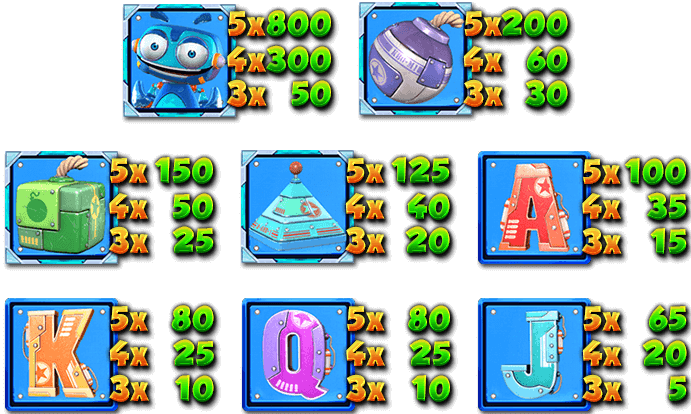
Free Spins - Game Symbols
During free spins, new set of symbols and paytable would activate with additional multiple scatter symbols.
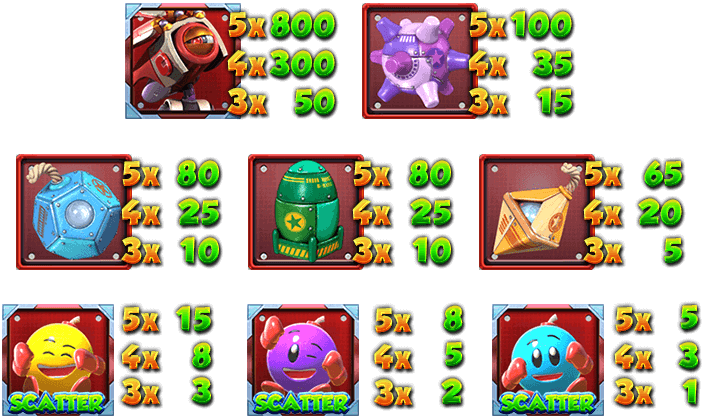
Scatter payout could be on any reels and do not have to be in any particular payline. Only the same kind of scatter symbol will be paid. Scatter win amount is computed by multiplying the payout value of the same kind of scatter symbol by the total bet.
Example:
Symbols on the reels: 1
 yellow face and 2 purple faces

Line Bet: USD 0.15
Total Bet: USD 4.50 (USD 0.15 line bet x 30 lines)
Scatter Payout: None

Wild Symbol
Wild symbol substitutes for all symbols on a possible win line EXCEPT for the Bonus and Scatter symbols.
The Wild symbol would ONLY be available on reels 2, 3, and 4. It is available during normal game and during free spins.

Bonus Symbol
The Bonus symbol triggers the free spins feature. Bonus symbols appear on all reels, during normal game and during free spins.
Getting 3 or more Bonus symbols anywhere on the reels during a normal game would award the player with the default 6 free spins.
Free Spins
FREE SPINS
Free spins are triggered from the main game when 3 or more Bonus symbols appear anywhere on the reels. The player will be awarded the default 6 free spins. During free spins, a new set of symbols and paytable would be activated.
Free spins would use the same lines bet that triggered the feature. Free spins cannot be retriggered. However, getting 3 Bonus symbols during free spins would award the player with additional free spins. Additional free spins would be random range from 1 to 4 free spins.
How To Play
- Choose the Total Bet per round by selecting a Line Bet value to be applied on each paylines.
- To start the round, click the SPIN button.
- Once the reels stop, the combination of symbols displayed determine the payout as could be seen on the paytable. Check the total win on the WIN field.
BET
The total bet is shown in TOTAL BET display.
Player could change the bet by changing the bet value (increase or decrease) which would be applied on all the number of paylines.
PAYLINES OR PAY WAYS & PAYTABLE
The number of game paylines or pay ways is fixed. The game payline or pay ways patterns, and the paytable that show the winning symbol combination payout are displayed by clicking on the “i” button.
WIN
Any total win in the game round will be displayed on the WIN field. The win amount for each combination could be seen on the info table where the paytable, paylines, and feature information are. Only the highest payline win will be paid.
If the game has a feature, all winnings from features triggered are added to the payline or pay way total win. If the game has a feature, all winning combinations are paid out at the end of a game round/spin and NOT at the end of the feature triggered.
For games with Free Spin feature, each free spin is played with the same line bet chosen during the game round that triggered it. The bet cannot be changed during a currently running game round or feature.
Reconnecting Games
If in the middle of the main game the player disconnected from the Internet, the spin will be automatically completed. Once the player re-opens the game, it will start from the very beginning. Players previous wins will be paid. To check the previous outcome, click on History button after login.
If the main game is disconnected from the Internet during a spin using the Auto Spin function, the spin will be automatically completed, but further spins will not automatically start. The game’s previous wins will be paid. To check the previous outcome, click on History button after login.
If the game is disconnected from the Internet during the Free Spins, Bonus Game and/or other feature, the player will be automatically directed back to the game after login to continue the game. Players previous wins will be paid. To check the previous outcome, click on History button after login.
Do note that a malfunction voids all pays and plays.
Game Actions/Buttons - Web Version
| Button | Name | Description | ||||
|---|---|---|---|---|---|---|
|
Bet panel - Contains the actionable buttons and fields related to the game |
||||||
|
“i” button | Displays the info table containing the paytable data, paylines, and information regarding the features of the game. | ||||
|
Line Bet/Bet |
Line Bet is a dropdown option for games based on paylines that lets player choose how much to bet for each payline available. Bet is a dropdown option for games based on payways that lets player choose how much to bet for each credit available on a payways game. Simply click on the chosen bet value to apply it for the succeeding spin. |
||||
|
|
Max Bet Button |
Automatically selects the highest bet denomination listed on the Line Bet dropdown button. |
||||
|
Spin button |
During the main game, press this to start a normal spin. |
||||
|
Play button |
If the game has a feature and it is triggered, this button will start the feature. |
||||
|
Stop button |
Shows up a few seconds before the reels land one by one. This stops the reels instantly. |
||||
|
Total Bet |
No action required. Displays the total wager placed per round. Total bet is computed automatically by multiplying the configured line bet by the number of paylines for the game. |
||||
|
Basic Auto Spin Panel |
Shows the corresponding number of auto spins that could be triggered. Player could choose either 10, 25, 50, 75, 100, or unlimited auto spins. Choosing Unlimited would mean the auto spins will continue player has insufficient balance. |
|||||
|
Advanced Auto Spin Panel |
Shows the following:
Auto Spin settings of the game would follow all the conditions configured on this panel. |
|||||
|
Stop Loss Limit |
Allows the player to set stop loss limit based on accumulated total bet. Once the limit has been met auto spin will stop.
Auto Spin settings of the game would follow all the conditions configured on this panel. |
|||||
|
Stop Auto Spin Options |
Allows the player to stop auto spin with specific condition :
|
|||||
|
“...” or More button |
Shows the following:
|
||||
|
Sound button |
Toggles mute and unmute for the sounds of the game |
||||
|
Game Help button |
Shows the game help info page for the game |
||||
|
Game History |
Displays the transaction history of the user account including bets and wins on every spin. |
||||
|
Back button |
Redirects to the game lobby site |
||||
|
Play for Real and Fund Transfer |
Play for Real button changes the play mode from Fun Play (demo) to Real Play (pay per spin). Fund Transfer button redirects to the Wallet of the user account. Note: These two buttons are ONLY displayed if the operator has enabled this configuration. |
||||
|
Home button |
Redirects the player to either the lobby site or the site that the operator has configured. Note: This button is ONLY displayed if the operator has enabled this configuration. |
||||
|
Black bar menu - Shows the following:
|
||||||
|
Type of gameplay |
Funplay (demo mode) and Pay to Play |
||||
|
Total Bet (black bar) |
No action required. Displays the total wager placed per round. Total bet is computed automatically by multiplying the configured line bet by the number of paylines for the game. |
||||
|
Total Win |
Total Win amount from the previous round |
||||
|
Balance |
Remaining player balance (in currency) |
||||
|
Time |
Current time (in timezone) |
||||
Game Actions/Buttons - Mobile Version
| Button | Name | Description | ||||||||
|---|---|---|---|---|---|---|---|---|---|---|
|
Game Help button | Shows the game help info page for the game | ||||||||
|
Option button |
Shows the following:
|
||||||||
|
Sound button | Toggles mute and unmute | ||||||||
|
Auto Spin Button | Displays the Advanced Auto Spin Window | ||||||||
|
Basic Auto Spin Panel | Shows the corresponding number of auto spins that could be triggered. Player could choose either 10, 25, 50, 75, 100, or unlimited auto spins. Choosing Unlimited would mean the auto spins will continue player has insufficient balance. | ||||||||
|
Advanced Auto Spin Window |
Shows the following:
Auto Spin settings of the game would follow all the conditions configured on this panel. |
||||||||
|
Stop Loss Limit |
Allows the player to set stop loss limit based on accumulated total bet. Once the limit has been met auto spin will stop.
Auto Spin settings of the game would follow all the conditions configured on this panel. |
||||||||
|
Start Auto Spin Button | Click Start button to start the autospin. | ||||||||
|
Stop Auto Spin Options |
Allows the player to stop auto spin with specific condition :
|
||||||||
|
Settings button |
Shows the following:
|
||||||||
|
Bet Settings |
Shows the following:
|
||||||||
|
Total Bet | No action required. Displays the total wager placed per round. Total bet is computed automatically by multiplying the configured line bet by the number of paylines for the game | ||||||||
|
|
Paylines/Way Wins | Paylines for games which are based on paylines, and way wins for games which are based on pay ways are indicated as fixed numbers (represented as N on the screenshot). | ||||||||
|
|
Line Bet/Bet |
Line Bet is a slider option for games based on paylines that lets player choose how much to bet for each payline available. Bet is a slider option for games based on payways that lets player choose how much to bet for each credit available on a payways game. Drag the slider to the chosen bet value to apply it for the succeeding spin. |
||||||||
|
|
Sound Setting | Slider option that lets the player set the volume of the game. | ||||||||
|
"i button" | Displays the info table containing the paytable data, paylines, and information regarding the features of the game. | ||||||||
|
Home Button |
Redirects the player to either the lobby site or the site that the operator has configured. Note: This button is ONLY displayed if the operator has enabled this configuration. |
||||||||
|
"x" button | Closes the settings menu and returns the player the the game area. | ||||||||
|
Play for Real and Fund Transfer |
Play for Real button changes the play mode from Fun Play (demo) to Real Play (pay per spin). Fund Transfer button redirects to the Wallet of the user account. Note: These two buttons are ONLY displayed if the operator has enabled this configuration. |
||||||||
|
Game History | Displays the transaction history of the user account including bets and wins on every spin. | ||||||||
|
Back button | Redirects to the game lobby site | ||||||||
|
Spin button | During the main game, press this to start a normal spin. | ||||||||
|
Play button | If the game has a feature and it is triggered, this button will start the feature. | ||||||||
|
Stop Auto Spin Button | Counts the remaining auto spin (if applicable) and stops the auto spin when pressed | ||||||||
|
Fast-forward button | Stops all reels and skips the line-by-line win presentation. | ||||||||
|
Stop button | Shows up a few seconds before the reels land one by one. This stops the reels instantly. | ||||||||
Black bar menu (landscape) Shows the following:
|
||||||||||
Black bar menu (portrait) Shows the following:
|
||||||||||
|
Total Bet (black bar) |
No action required. Displays the total wager placed per round. Total bet is computed automatically by multiplying the configured line bet by the number of paylines for the game. |
||||||||
|
Total Win (black bar) | Total win amount from the previous round | ||||||||
|
Black (black bar) | Remaining player balance (in currency) | ||||||||
|
Time | Current time (in timezone) | ||||||||

Money Monkey
Money Monkey
| No. | Description | |
|---|---|---|
| 1. | Reels | 3x5 |
| 2. | Number of Lines | 243 Lines |
| 3. | Default RTP | 96.47% |
| 4. | Hit frequency |
2.78 (High Frequency) |
| 5. | Volatility Index |
8.51 (Normal Volatility) |
| 6. | Min and Max Bet |
Reflected on the game interface based on player’s currency. |
Money Monkey is a 3x5 reels video slot game with 243 pay ways. Two to five matching symbols along any pay way from leftmost reel to right has a corresponding win amount. The game has two features: Pay Respin and Free Spins.
Pay Respin feature allows players to respin a selected reel while the rest of the reels are held on the same position. Each reel that is respun will be charged with an extra cost.
Free Spins could be triggered by getting 3 scatter symbols during main game. The default 15 free spin will have x3 win multipliers.
Game Symbol
Symbol combination payouts are listed on the paytable. Win amount is computed by multiplying the payout value by the bet – except for the scatter payout which is multiplied by total bet.
 5x 4,000 |
 5x 2,500 |
 5x 2,000 |
 5x 1,000 |
 5x 500 |
 5x 200 |
 5x 200 |
 5x 150 |
 5x 150 |
 5x 100 |
 5x 100 |

Wild Symbol
Wild symbol substitutes for all symbols on a possible pay way EXCEPT for the Scatter symbol.
The Wild symbol would be available on Reels 2 and 4 only.

Scatter Symbol
Three scatter symbols ANYWHERE on the reels will trigger the Free Spins Feature. Three or more scatter symbols would award the default 15 free spins.
Scatter wins are multiplied by total bet.
Free Spins
The Free Spins feature could be triggered by getting 3 scatter symbols anywhere on the reels which would reward the default 15 free spin. During free spins, all wins are tripled.
Free spins would use the same ways bet that triggered the feature. Free spin feature can be re-triggered by getting three or more scatter symbols during free spins.
During free spins and at the end of free spins, Pay Respin feature is inactive.
Pay Respins
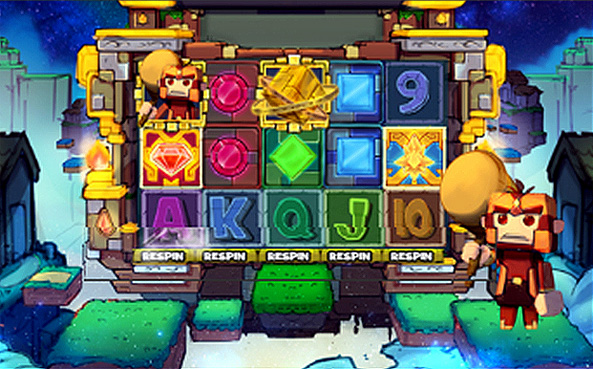
Pay Respin feature allows players to respin a selected reel while the rest of the reels are held on the same position.
Each reel respin comes with an extra cost. The cost per reel respin is automatically computed by the game. The additional cost per respin is displayed on the bottom of each reel.
Pay Respin feature is activated at the end of each spin that has a chance to win and only one reel can be spin one at a time.
On a respin, only new winning combinations formed are paid. Upon clicking the respin button, any wins that have been previously paid would not be paid again once the reel stops spinning. Only wins that involve the respun reel would be paid.
Example:
Bet: USD 0.10
Total Bet: USD 2.50
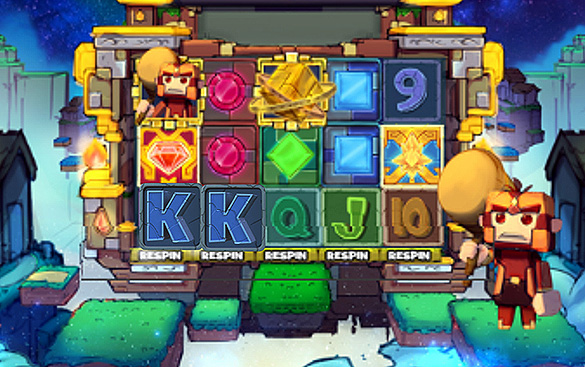
Result: No winning combinations.
Player clicks on respin for Reel 3.
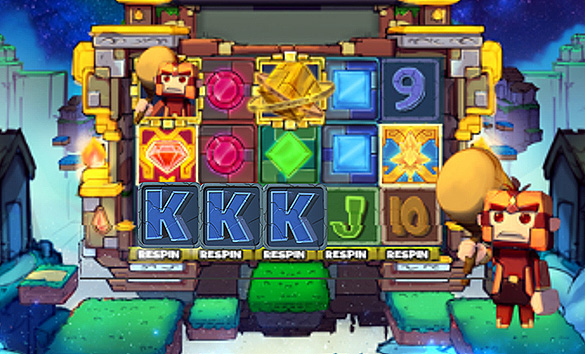
Payout: 5 (3-of-a-kind payout for King symbol
)
x USD 0.10 (bet) = USD 0.50
Total win: USD 0.50
Example:
Bet: USD 0.10, Total Bet: USD 2.50
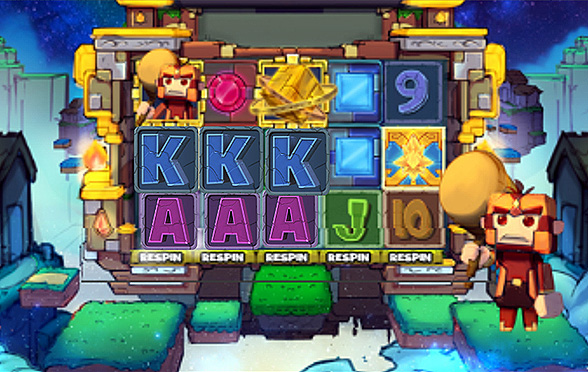
Payout:
5 (3-of-a-kind payout for Ace symbol
) x USD 0.10 (bet) = USD 0.50
5 (3-of-a-kind payout for King symbol)x USD 0.10 (bet) = USD 0.50
Player kicks on respin for Reel 4.
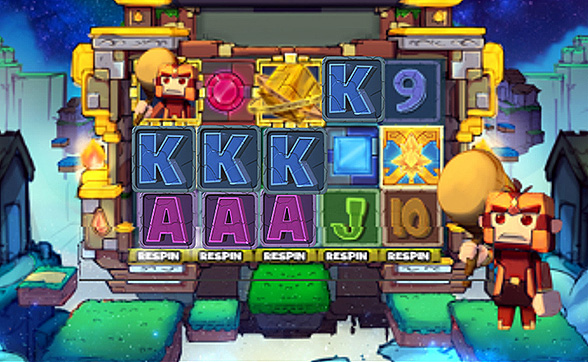
Payout:
30 (4-of-a-kind payout for King symbol) x USD 0.10 (bet) = USD 3.00
No additional payout for the Ace symbol since the 3-of-a-kind win for Ace symbols are already paid on the previous transaction.
Total win: USD 4.00
Pay Respin feature is inactive upon changing the bet denomination and auto spin configuration.
Pay Respin is also disabled during free spins and after free spins.
How To Play
- Choose the Total Bet per round by selecting a Line Bet value to be applied on each paylines.
- To start the round, click the SPIN button.
- Once the reels stop, the combination of symbols displayed determine the payout as could be seen on the paytable. Check the total win on the WIN field.
BET
The total bet is shown in TOTAL BET display.
Player could change the bet by changing the bet value (increase or decrease) which would be applied on all the number of paylines.
PAYLINES OR PAY WAYS & PAYTABLE
The number of game paylines or pay ways is fixed. The game payline or pay ways patterns, and the paytable that show the winning symbol combination payout are displayed by clicking on the “i” button.
WIN
Any total win in the game round will be displayed on the WIN field. The win amount for each combination could be seen on the info table where the paytable, paylines, and feature information are. Only the highest payline win will be paid.
If the game has a feature, all winnings from features triggered are added to the payline or pay way total win. If the game has a feature, all winning combinations are paid out at the end of a game round/spin and NOT at the end of the feature triggered.
For games with Free Spin feature, each free spin is played with the same line bet chosen during the game round that triggered it. The bet cannot be changed during a currently running game round or feature.
Reconnecting Games
If in the middle of the main game the player disconnected from the Internet, the spin will be automatically completed. Once the player re-opens the game, it will start from the very beginning. Players previous wins will be paid. To check the previous outcome, click on History button after login.
If the main game is disconnected from the Internet during a spin using the Auto Spin function, the spin will be automatically completed, but further spins will not automatically start. The game’s previous wins will be paid. To check the previous outcome, click on History button after login.
If the game is disconnected from the Internet during the Free Spins, Bonus Game and/or other feature, the player will be automatically directed back to the game after login to continue the game. Players previous wins will be paid. To check the previous outcome, click on History button after login.
Do note that a malfunction voids all pays and plays.
Game Actions/Buttons - Web Version
| Button | Name | Description | ||||
|---|---|---|---|---|---|---|
|
Bet panel - Contains the actionable buttons and fields related to the game |
||||||
|
“i” button | Displays the info table containing the paytable data, paylines, and information regarding the features of the game. | ||||
|
Line Bet/Bet |
Line Bet is a dropdown option for games based on paylines that lets player choose how much to bet for each payline available. Bet is a dropdown option for games based on payways that lets player choose how much to bet for each credit available on a payways game. Simply click on the chosen bet value to apply it for the succeeding spin. |
||||
|
|
Max Bet Button |
Automatically selects the highest bet denomination listed on the Line Bet dropdown button. |
||||
|
Spin button |
During the main game, press this to start a normal spin. |
||||
|
Play button |
If the game has a feature and it is triggered, this button will start the feature. |
||||
|
Stop button |
Shows up a few seconds before the reels land one by one. This stops the reels instantly. |
||||
|
Total Bet |
No action required. Displays the total wager placed per round. Total bet is computed automatically by multiplying the configured line bet by the number of paylines for the game. |
||||
|
Basic Auto Spin Panel |
Shows the corresponding number of auto spins that could be triggered. Player could choose either 10, 25, 50, 75, 100, or unlimited auto spins. Choosing Unlimited would mean the auto spins will continue player has insufficient balance. |
|||||
|
Advanced Auto Spin Panel |
Shows the following:
Auto Spin settings of the game would follow all the conditions configured on this panel. |
|||||
|
Stop Loss Limit |
Allows the player to set stop loss limit based on accumulated total bet. Once the limit has been met auto spin will stop.
Auto Spin settings of the game would follow all the conditions configured on this panel. |
|||||
|
Stop Auto Spin Options |
Allows the player to stop auto spin with specific condition :
|
|||||
|
“...” or More button |
Shows the following:
|
||||
|
Sound button |
Toggles mute and unmute for the sounds of the game |
||||
|
Game Help button |
Shows the game help info page for the game |
||||
|
Game History |
Displays the transaction history of the user account including bets and wins on every spin. |
||||
|
Back button |
Redirects to the game lobby site |
||||
|
Play for Real and Fund Transfer |
Play for Real button changes the play mode from Fun Play (demo) to Real Play (pay per spin). Fund Transfer button redirects to the Wallet of the user account. Note: These two buttons are ONLY displayed if the operator has enabled this configuration. |
||||
|
Home button |
Redirects the player to either the lobby site or the site that the operator has configured. Note: This button is ONLY displayed if the operator has enabled this configuration. |
||||
|
Black bar menu - Shows the following:
|
||||||
|
Type of gameplay |
Funplay (demo mode) and Pay to Play |
||||
|
Total Bet (black bar) |
No action required. Displays the total wager placed per round. Total bet is computed automatically by multiplying the configured line bet by the number of paylines for the game. |
||||
|
Total Win |
Total Win amount from the previous round |
||||
|
Balance |
Remaining player balance (in currency) |
||||
|
Time |
Current time (in timezone) |
||||
Game Actions/Buttons - Mobile Version
| Button | Name | Description | ||||||||
|---|---|---|---|---|---|---|---|---|---|---|
|
Game Help button | Shows the game help info page for the game | ||||||||
|
Option button |
Shows the following:
|
||||||||
|
Sound button | Toggles mute and unmute | ||||||||
|
Auto Spin Button | Displays the Advanced Auto Spin Window | ||||||||
|
Basic Auto Spin Panel | Shows the corresponding number of auto spins that could be triggered. Player could choose either 10, 25, 50, 75, 100, or unlimited auto spins. Choosing Unlimited would mean the auto spins will continue player has insufficient balance. | ||||||||
|
Advanced Auto Spin Window |
Shows the following:
Auto Spin settings of the game would follow all the conditions configured on this panel. |
||||||||
|
Stop Loss Limit |
Allows the player to set stop loss limit based on accumulated total bet. Once the limit has been met auto spin will stop.
Auto Spin settings of the game would follow all the conditions configured on this panel. |
||||||||
|
Start Auto Spin Button | Click Start button to start the autospin. | ||||||||
|
Stop Auto Spin Options |
Allows the player to stop auto spin with specific condition :
|
||||||||
|
Settings button |
Shows the following:
|
||||||||
|
Bet Settings |
Shows the following:
|
||||||||
|
Total Bet | No action required. Displays the total wager placed per round. Total bet is computed automatically by multiplying the configured line bet by the number of paylines for the game | ||||||||
|
|
Paylines/Way Wins | Paylines for games which are based on paylines, and way wins for games which are based on pay ways are indicated as fixed numbers (represented as N on the screenshot). | ||||||||
|
|
Line Bet/Bet |
Line Bet is a slider option for games based on paylines that lets player choose how much to bet for each payline available. Bet is a slider option for games based on payways that lets player choose how much to bet for each credit available on a payways game. Drag the slider to the chosen bet value to apply it for the succeeding spin. |
||||||||
|
|
Sound Setting | Slider option that lets the player set the volume of the game. | ||||||||
|
"i button" | Displays the info table containing the paytable data, paylines, and information regarding the features of the game. | ||||||||
|
Home Button |
Redirects the player to either the lobby site or the site that the operator has configured. Note: This button is ONLY displayed if the operator has enabled this configuration. |
||||||||
|
"x" button | Closes the settings menu and returns the player the the game area. | ||||||||
|
Play for Real and Fund Transfer |
Play for Real button changes the play mode from Fun Play (demo) to Real Play (pay per spin). Fund Transfer button redirects to the Wallet of the user account. Note: These two buttons are ONLY displayed if the operator has enabled this configuration. |
||||||||
|
Game History | Displays the transaction history of the user account including bets and wins on every spin. | ||||||||
|
Back button | Redirects to the game lobby site | ||||||||
|
Spin button | During the main game, press this to start a normal spin. | ||||||||
|
Play button | If the game has a feature and it is triggered, this button will start the feature. | ||||||||
|
Stop Auto Spin Button | Counts the remaining auto spin (if applicable) and stops the auto spin when pressed | ||||||||
|
Fast-forward button | Stops all reels and skips the line-by-line win presentation. | ||||||||
|
Stop button | Shows up a few seconds before the reels land one by one. This stops the reels instantly. | ||||||||
Black bar menu (landscape) Shows the following:
|
||||||||||
Black bar menu (portrait) Shows the following:
|
||||||||||
|
Total Bet (black bar) |
No action required. Displays the total wager placed per round. Total bet is computed automatically by multiplying the configured line bet by the number of paylines for the game. |
||||||||
|
Total Win (black bar) | Total win amount from the previous round | ||||||||
|
Black (black bar) | Remaining player balance (in currency) | ||||||||
|
Time | Current time (in timezone) | ||||||||

Phantom Thief
Phantom Thief
| No. | Description | |
|---|---|---|
| 1. | Reels | 3 x 5 |
| 2. | Number of Lines | 30 Lines |
| 3. | Default RTP | 97.03 % |
| 4. | Volatility Index |
8.7818 (Normal Volatility) |
| 5. | Min and Max Bet |
Reflected on the game interface based on player’s currency. |
Phantom Thief is a 3x5 collapsing reels video slot game with 30 fixed paylines. Three to five matching symbols along any payline from leftmost reel to right has a corresponding win amount.
Winning symbols are removed from the reels, existing and new symbols from top fall down in sequence to fill in the gaps. The reels are reassessed for new winning combinations and are paid accordingly. This process continues until there are no more winning combinations after replacement of symbols.
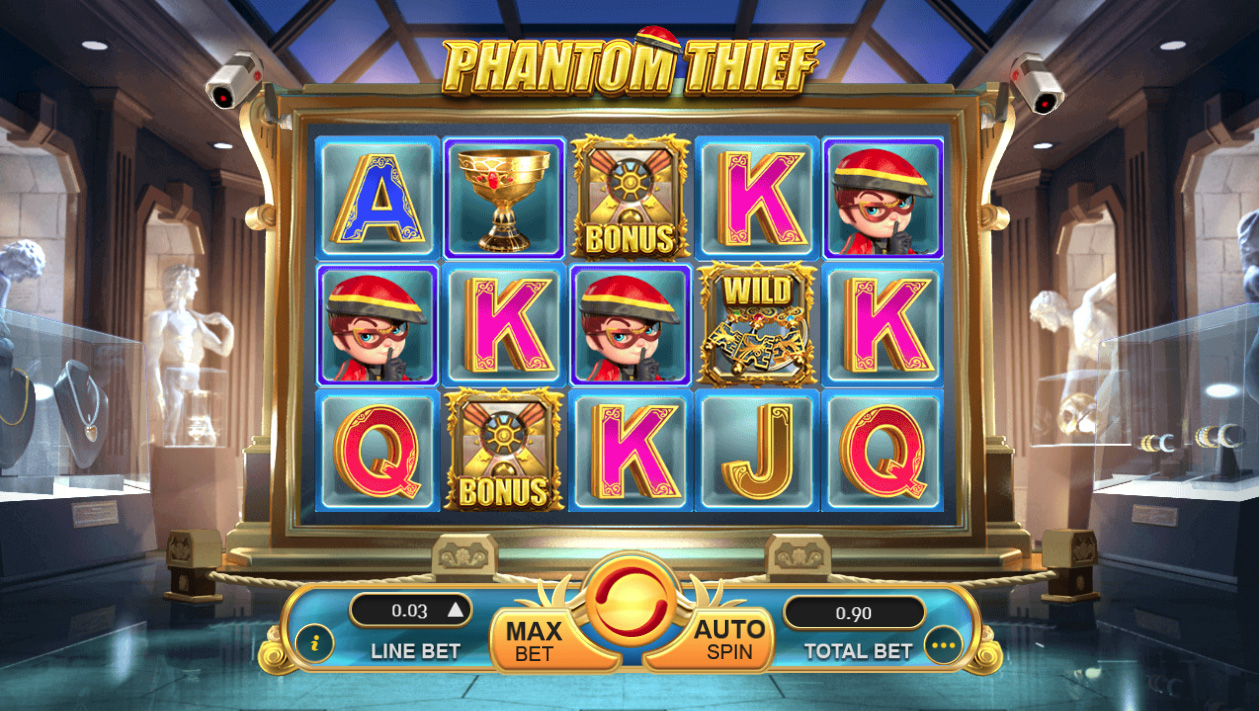
Game Symbol
Symbol combination payouts are listed on the paytable. Win amount is computed by multiplying the payout value by the line bet – except for the scatter payout which is multiplied by total bet.
| Main Game Symbols |
|---|
|
Main game would have a different set of symbols from the free spins except for the wild and bonus symbols. 
|
| Free Spins - Game symbols | |||
|---|---|---|---|
|
During free spins, new set of symbols and paytable would activate with additional multiple scatter symbols. 
|
|||
Scatter payout could be on any reels and do not have to be in any particular payline. Only the same kind of scatter symbol will be paid. Scatter win amount is computed by multiplying the payout value of the same kind of scatter symbol by the total bet.
Example:
Symbols on the reels :1 green gėm
 and 2 blue gėm
 Line Bet: USD 0.15
Total bet: USD 4.50 (USD 0.15 line bet x 30 lines)
Scatter payout: None.

Wild Symbol
Wild symbol substitutes for all symbols on a possible win line EXCEPT for the Bonus and Scatter symbols.
The Wild symbol would ONLY be available on reels 2, 3, and 4. It is available during normal game and during free spins.

Bonus Symbol
The Bonus symbol triggers the free spins feature. Bonus symbols appear on all reels, during normal game and during free spins.
Getting 3 or more Bonus symbols anywhere on the reels during a normal game would award the player with the default 6 free spins.
Free Spins
Free spins are triggered from the main game when 3 or more Bonus symbols appear anywhere on the reels. The player will be awarded the default 6 free spins. During free spins, a new set of symbols and paytable would be activated.
Free spins would use the same lines bet that triggered the feature. Free spins cannot be retriggered. However, getting 3 Bonus symbols during free spins would award the player with additional free spins. Additional free spins would be random range from 1 to 4 free spins.
How To Play
- Choose the Total Bet per round by selecting a Line Bet value to be applied on each paylines.
- To start the round, click the SPIN button.
- Once the reels stop, the combination of symbols displayed determine the payout as could be seen on the paytable. Check the total win on the WIN field.
BET
The total bet is shown in TOTAL BET display.
Player could change the bet by changing the bet value (increase or decrease) which would be applied on all the number of paylines.
PAYLINES OR PAY WAYS & PAYTABLE
The number of game paylines or pay ways is fixed. The game payline or pay ways patterns, and the paytable that show the winning symbol combination payout are displayed by clicking on the “i” button.
WIN
Any total win in the game round will be displayed on the WIN field. The win amount for each combination could be seen on the info table where the paytable, paylines, and feature information are. Only the highest payline win will be paid.
If the game has a feature, all winnings from features triggered are added to the payline or pay way total win. If the game has a feature, all winning combinations are paid out at the end of a game round/spin and NOT at the end of the feature triggered.
For games with Free Spin feature, each free spin is played with the same line bet chosen during the game round that triggered it. The bet cannot be changed during a currently running game round or feature.
Reconnecting Games
If in the middle of the main game the player disconnected from the Internet, the spin will be automatically completed. Once the player re-opens the game, it will start from the very beginning. Players previous wins will be paid. To check the previous outcome, click on History button after login.
If the main game is disconnected from the Internet during a spin using the Auto Spin function, the spin will be automatically completed, but further spins will not automatically start. The game’s previous wins will be paid. To check the previous outcome, click on History button after login.
If the game is disconnected from the Internet during the Free Spins, Bonus Game and/or other feature, the player will be automatically directed back to the game after login to continue the game. Players previous wins will be paid. To check the previous outcome, click on History button after login.
Do note that a malfunction voids all pays and plays.
Game Actions/Buttons - Web Version
| Button | Name | Description | ||||
|---|---|---|---|---|---|---|
|
Bet panel - Contains the actionable buttons and fields related to the game |
||||||
|
“i” button | Displays the info table containing the paytable data, paylines, and information regarding the features of the game. | ||||
|
Line Bet/Bet |
Line Bet is a dropdown option for games based on paylines that lets player choose how much to bet for each payline available. Bet is a dropdown option for games based on payways that lets player choose how much to bet for each credit available on a payways game. Simply click on the chosen bet value to apply it for the succeeding spin. |
||||
|
|
Max Bet Button |
Automatically selects the highest bet denomination listed on the Line Bet dropdown button. |
||||
|
Spin button |
During the main game, press this to start a normal spin. |
||||
|
Play button |
If the game has a feature and it is triggered, this button will start the feature. |
||||
|
Stop button |
Shows up a few seconds before the reels land one by one. This stops the reels instantly. |
||||
|
Total Bet |
No action required. Displays the total wager placed per round. Total bet is computed automatically by multiplying the configured line bet by the number of paylines for the game. |
||||
|
Basic Auto Spin Panel |
Shows the corresponding number of auto spins that could be triggered. Player could choose either 10, 25, 50, 75, 100, or unlimited auto spins. Choosing Unlimited would mean the auto spins will continue player has insufficient balance. |
|||||
|
Advanced Auto Spin Panel |
Shows the following:
Auto Spin settings of the game would follow all the conditions configured on this panel. |
|||||
|
Stop Loss Limit |
Allows the player to set stop loss limit based on accumulated total bet. Once the limit has been met auto spin will stop.
Auto Spin settings of the game would follow all the conditions configured on this panel. |
|||||
|
Stop Auto Spin Options |
Allows the player to stop auto spin with specific condition :
|
|||||
|
“...” or More button |
Shows the following:
|
||||
|
Sound button |
Toggles mute and unmute for the sounds of the game |
||||
|
Game Help button |
Shows the game help info page for the game |
||||
|
Game History |
Displays the transaction history of the user account including bets and wins on every spin. |
||||
|
Back button |
Redirects to the game lobby site |
||||
|
Play for Real and Fund Transfer |
Play for Real button changes the play mode from Fun Play (demo) to Real Play (pay per spin). Fund Transfer button redirects to the Wallet of the user account. Note: These two buttons are ONLY displayed if the operator has enabled this configuration. |
||||
|
Home button |
Redirects the player to either the lobby site or the site that the operator has configured. Note: This button is ONLY displayed if the operator has enabled this configuration. |
||||
|
Black bar menu - Shows the following:
|
||||||
|
Type of gameplay |
Funplay (demo mode) and Pay to Play |
||||
|
Total Bet (black bar) |
No action required. Displays the total wager placed per round. Total bet is computed automatically by multiplying the configured line bet by the number of paylines for the game. |
||||
|
Total Win |
Total Win amount from the previous round |
||||
|
Balance |
Remaining player balance (in currency) |
||||
|
Time |
Current time (in timezone) |
||||
Game Actions/Buttons - Mobile Version
| Button | Name | Description | ||||||||
|---|---|---|---|---|---|---|---|---|---|---|
|
Game Help button | Shows the game help info page for the game | ||||||||
|
Option button |
Shows the following:
|
||||||||
|
Sound button | Toggles mute and unmute | ||||||||
|
Auto Spin Button | Displays the Advanced Auto Spin Window | ||||||||
|
Basic Auto Spin Panel | Shows the corresponding number of auto spins that could be triggered. Player could choose either 10, 25, 50, 75, 100, or unlimited auto spins. Choosing Unlimited would mean the auto spins will continue player has insufficient balance. | ||||||||
|
Advanced Auto Spin Window |
Shows the following:
Auto Spin settings of the game would follow all the conditions configured on this panel. |
||||||||
|
Stop Loss Limit |
Allows the player to set stop loss limit based on accumulated total bet. Once the limit has been met auto spin will stop.
Auto Spin settings of the game would follow all the conditions configured on this panel. |
||||||||
|
Start Auto Spin Button | Click Start button to start the autospin. | ||||||||
|
Stop Auto Spin Options |
Allows the player to stop auto spin with specific condition :
|
||||||||
|
Settings button |
Shows the following:
|
||||||||
|
Bet Settings |
Shows the following:
|
||||||||
|
Total Bet | No action required. Displays the total wager placed per round. Total bet is computed automatically by multiplying the configured line bet by the number of paylines for the game | ||||||||
|
|
Paylines/Way Wins | Paylines for games which are based on paylines, and way wins for games which are based on pay ways are indicated as fixed numbers (represented as N on the screenshot). | ||||||||
|
|
Line Bet/Bet |
Line Bet is a slider option for games based on paylines that lets player choose how much to bet for each payline available. Bet is a slider option for games based on payways that lets player choose how much to bet for each credit available on a payways game. Drag the slider to the chosen bet value to apply it for the succeeding spin. |
||||||||
|
|
Sound Setting | Slider option that lets the player set the volume of the game. | ||||||||
|
"i button" | Displays the info table containing the paytable data, paylines, and information regarding the features of the game. | ||||||||
|
Home Button |
Redirects the player to either the lobby site or the site that the operator has configured. Note: This button is ONLY displayed if the operator has enabled this configuration. |
||||||||
|
"x" button | Closes the settings menu and returns the player the the game area. | ||||||||
|
Play for Real and Fund Transfer |
Play for Real button changes the play mode from Fun Play (demo) to Real Play (pay per spin). Fund Transfer button redirects to the Wallet of the user account. Note: These two buttons are ONLY displayed if the operator has enabled this configuration. |
||||||||
|
Game History | Displays the transaction history of the user account including bets and wins on every spin. | ||||||||
|
Back button | Redirects to the game lobby site | ||||||||
|
Spin button | During the main game, press this to start a normal spin. | ||||||||
|
Play button | If the game has a feature and it is triggered, this button will start the feature. | ||||||||
|
Stop Auto Spin Button | Counts the remaining auto spin (if applicable) and stops the auto spin when pressed | ||||||||
|
Fast-forward button | Stops all reels and skips the line-by-line win presentation. | ||||||||
|
Stop button | Shows up a few seconds before the reels land one by one. This stops the reels instantly. | ||||||||
Black bar menu (landscape) Shows the following:
|
||||||||||
Black bar menu (portrait) Shows the following:
|
||||||||||
|
Total Bet (black bar) |
No action required. Displays the total wager placed per round. Total bet is computed automatically by multiplying the configured line bet by the number of paylines for the game. |
||||||||
|
Total Win (black bar) | Total win amount from the previous round | ||||||||
|
Black (black bar) | Remaining player balance (in currency) | ||||||||
|
Time | Current time (in timezone) | ||||||||

Sweet Treats
Sweet Treats
| No. | Description | |
|---|---|---|
| 1. | Reels | 3 x 3 |
| 2. | Number of Lines | 8 Lines |
| 3. | Default RTP | 96.64 % |
| 4. | Hit frequency |
2.65 (High Frequency) |
| 5. | Volatility Index |
6.81 (Normal volatility) |
| 5. | Min and Max Bet |
Reflected on the game interface based on player’s currency. |
Sweet Treats is a 3x3 reels video slot game with 8 fixed paylines and 9 independent reels. Three matching symbols along any payline from leftmost reel to right, and topmost to bottom has a corresponding win amount.
Scatter pays for winning combinations and also has a Wild function where it could substitute for other symbols.
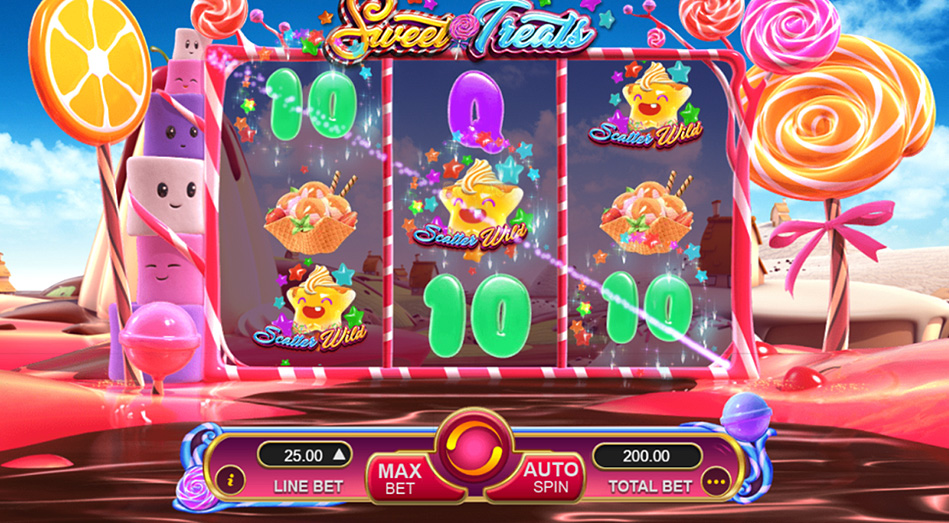
Game Symbol
Symbol combination payouts are listed on the paytable. Win amount is computed by multiplying the payout value by the line bet – except for the scatter payout which is multiplied by total bet.
| High-paying Symbols | |||
|---|---|---|---|

|
|||
| Low-paying Symbols | |||
|---|---|---|---|

|
|||

Scatter Wild Symbol
Scatter Wild symbol substitutes for all symbols on a possible win line.
Scatter Wild payout is awarded for 3 or more Scatter Wild symbols anywhere on the reels and is multiplied by total bet.

If there are three Scatter Wild symbols in a payline, it will be paid according to the multiplier of the highest paying symbol combination.
Example: Symbols on line 2: Scatter Wild
 Cupcake
 -Scatter Wild
Symbols on line 6: Scatter Wild
-Scatter Wild
-Scatter Wild
Line bet: USD 0.04, Total bet: USD 0.32
Payout:
Line 2:3-of-a-kind payout for Cupcake symbol 50 x USD 0.04 (line bet) = USD 2.00
Line 6:
3-of-a-kind wild payout (highest paying symbol payout) 200 x USD 0.04 (line bet) = USD 8.00
Scatter Wild payout:
5-of-a-kind payout for Scatter Wild symbol 10 x USD 0.32 (total bet) = USD 3.20
Total Win: USD 13.20
Scatter Wild symbol would substitute for other symbols to form winning combination. Player will get paid for wild combination with highest payout symbol when Scatter Wild symbol appears on a payline and get paid with scatter payout if it appears 2 or more on any reels.
How To Play
- Choose the Total Bet per round by selecting a Line Bet value to be applied on each paylines.
- To start the round, click the SPIN button.
- Once the reels stop, the combination of symbols displayed determine the payout as could be seen on the paytable. Check the total win on the WIN field.
BET
The total bet is shown in TOTAL BET display.
Player could change the bet by changing the bet value (increase or decrease) which would be applied on all the number of paylines.
PAYLINES OR PAY WAYS & PAYTABLE
The number of game paylines or pay ways is fixed. The game payline or pay ways patterns, and the paytable that show the winning symbol combination payout are displayed by clicking on the “i” button.
WIN
Any total win in the game round will be displayed on the WIN field. The win amount for each combination could be seen on the info table where the paytable, paylines, and feature information are. Only the highest payline win will be paid.
If the game has a feature, all winnings from features triggered are added to the payline or pay way total win. If the game has a feature, all winning combinations are paid out at the end of a game round/spin and NOT at the end of the feature triggered.
For games with Free Spin feature, each free spin is played with the same line bet chosen during the game round that triggered it. The bet cannot be changed during a currently running game round or feature.
Reconnecting Games
If in the middle of the main game the player disconnected from the Internet, the spin will be automatically completed. Once the player re-opens the game, it will start from the very beginning. Players previous wins will be paid. To check the previous outcome, click on History button after login.
If the main game is disconnected from the Internet during a spin using the Auto Spin function, the spin will be automatically completed, but further spins will not automatically start. The game’s previous wins will be paid. To check the previous outcome, click on History button after login.
If the game is disconnected from the Internet during the Free Spins, Bonus Game and/or other feature, the player will be automatically directed back to the game after login to continue the game. Players previous wins will be paid. To check the previous outcome, click on History button after login.
Do note that a malfunction voids all pays and plays.
Game Actions/Buttons - Web Version
| Button | Name | Description | ||||
|---|---|---|---|---|---|---|
|
Bet panel - Contains the actionable buttons and fields related to the game |
||||||
|
“i” button | Displays the info table containing the paytable data, paylines, and information regarding the features of the game. | ||||
|
Line Bet/Bet |
Line Bet is a dropdown option for games based on paylines that lets player choose how much to bet for each payline available. Bet is a dropdown option for games based on payways that lets player choose how much to bet for each credit available on a payways game. Simply click on the chosen bet value to apply it for the succeeding spin. |
||||
|
|
Max Bet Button |
Automatically selects the highest bet denomination listed on the Line Bet dropdown button. |
||||
|
Spin button |
During the main game, press this to start a normal spin. |
||||
|
Play button |
If the game has a feature and it is triggered, this button will start the feature. |
||||
|
Stop button |
Shows up a few seconds before the reels land one by one. This stops the reels instantly. |
||||
|
Total Bet |
No action required. Displays the total wager placed per round. Total bet is computed automatically by multiplying the configured line bet by the number of paylines for the game. |
||||
|
Basic Auto Spin Panel |
Shows the corresponding number of auto spins that could be triggered. Player could choose either 10, 25, 50, 75, 100, or unlimited auto spins. Choosing Unlimited would mean the auto spins will continue player has insufficient balance. |
|||||
|
Advanced Auto Spin Panel |
Shows the following:
Auto Spin settings of the game would follow all the conditions configured on this panel. |
|||||
|
Stop Loss Limit |
Allows the player to set stop loss limit based on accumulated total bet. Once the limit has been met auto spin will stop.
Auto Spin settings of the game would follow all the conditions configured on this panel. |
|||||
|
Stop Auto Spin Options |
Allows the player to stop auto spin with specific condition :
|
|||||
|
“...” or More button |
Shows the following:
|
||||
|
Sound button |
Toggles mute and unmute for the sounds of the game |
||||
|
Game Help button |
Shows the game help info page for the game |
||||
|
Game History |
Displays the transaction history of the user account including bets and wins on every spin. |
||||
|
Back button |
Redirects to the game lobby site |
||||
|
Play for Real and Fund Transfer |
Play for Real button changes the play mode from Fun Play (demo) to Real Play (pay per spin). Fund Transfer button redirects to the Wallet of the user account. Note: These two buttons are ONLY displayed if the operator has enabled this configuration. |
||||
|
Home button |
Redirects the player to either the lobby site or the site that the operator has configured. Note: This button is ONLY displayed if the operator has enabled this configuration. |
||||
|
Black bar menu - Shows the following:
|
||||||
|
Type of gameplay |
Funplay (demo mode) and Pay to Play |
||||
|
Total Bet (black bar) |
No action required. Displays the total wager placed per round. Total bet is computed automatically by multiplying the configured line bet by the number of paylines for the game. |
||||
|
Total Win |
Total Win amount from the previous round |
||||
|
Balance |
Remaining player balance (in currency) |
||||
|
Time |
Current time (in timezone) |
||||
Game Actions/Buttons - Mobile Version
| Button | Name | Description | ||||||||
|---|---|---|---|---|---|---|---|---|---|---|
|
Game Help button | Shows the game help info page for the game | ||||||||
|
Option button |
Shows the following:
|
||||||||
|
Sound button | Toggles mute and unmute | ||||||||
|
Auto Spin Button | Displays the Advanced Auto Spin Window | ||||||||
|
Basic Auto Spin Panel | Shows the corresponding number of auto spins that could be triggered. Player could choose either 10, 25, 50, 75, 100, or unlimited auto spins. Choosing Unlimited would mean the auto spins will continue player has insufficient balance. | ||||||||
|
Advanced Auto Spin Window |
Shows the following:
Auto Spin settings of the game would follow all the conditions configured on this panel. |
||||||||
|
Stop Loss Limit |
Allows the player to set stop loss limit based on accumulated total bet. Once the limit has been met auto spin will stop.
Auto Spin settings of the game would follow all the conditions configured on this panel. |
||||||||
|
Start Auto Spin Button | Click Start button to start the autospin. | ||||||||
|
Stop Auto Spin Options |
Allows the player to stop auto spin with specific condition :
|
||||||||
|
Settings button |
Shows the following:
|
||||||||
|
Bet Settings |
Shows the following:
|
||||||||
|
Total Bet | No action required. Displays the total wager placed per round. Total bet is computed automatically by multiplying the configured line bet by the number of paylines for the game | ||||||||
|
|
Paylines/Way Wins | Paylines for games which are based on paylines, and way wins for games which are based on pay ways are indicated as fixed numbers (represented as N on the screenshot). | ||||||||
|
|
Line Bet/Bet |
Line Bet is a slider option for games based on paylines that lets player choose how much to bet for each payline available. Bet is a slider option for games based on payways that lets player choose how much to bet for each credit available on a payways game. Drag the slider to the chosen bet value to apply it for the succeeding spin. |
||||||||
|
|
Sound Setting | Slider option that lets the player set the volume of the game. | ||||||||
|
"i button" | Displays the info table containing the paytable data, paylines, and information regarding the features of the game. | ||||||||
|
Home Button |
Redirects the player to either the lobby site or the site that the operator has configured. Note: This button is ONLY displayed if the operator has enabled this configuration. |
||||||||
|
"x" button | Closes the settings menu and returns the player the the game area. | ||||||||
|
Play for Real and Fund Transfer |
Play for Real button changes the play mode from Fun Play (demo) to Real Play (pay per spin). Fund Transfer button redirects to the Wallet of the user account. Note: These two buttons are ONLY displayed if the operator has enabled this configuration. |
||||||||
|
Game History | Displays the transaction history of the user account including bets and wins on every spin. | ||||||||
|
Back button | Redirects to the game lobby site | ||||||||
|
Spin button | During the main game, press this to start a normal spin. | ||||||||
|
Play button | If the game has a feature and it is triggered, this button will start the feature. | ||||||||
|
Stop Auto Spin Button | Counts the remaining auto spin (if applicable) and stops the auto spin when pressed | ||||||||
|
Fast-forward button | Stops all reels and skips the line-by-line win presentation. | ||||||||
|
Stop button | Shows up a few seconds before the reels land one by one. This stops the reels instantly. | ||||||||
Black bar menu (landscape) Shows the following:
|
||||||||||
Black bar menu (portrait) Shows the following:
|
||||||||||
|
Total Bet (black bar) |
No action required. Displays the total wager placed per round. Total bet is computed automatically by multiplying the configured line bet by the number of paylines for the game. |
||||||||
|
Total Win (black bar) | Total win amount from the previous round | ||||||||
|
Black (black bar) | Remaining player balance (in currency) | ||||||||
|
Time | Current time (in timezone) | ||||||||

World Soccer Slot 2
World Soccer Slot 2
| No. | Description | |
|---|---|---|
| 1. | Reels | 3 x 5 |
| 2. | Number of Pay Ways | 243 Ways |
| 3. | Default RTP | 96.48% |
| 4. | Hit frequency |
3.77 (Normal Frequency) |
| 5. | Volatility Index |
25.23 (High Volatility) |
| 5. | Min and Max Bet |
Reflected on the game interface based on player’s currency. |
World Cup is a 3x5 collapsing reels video slot game with 243 payways. Three to five matching symbols along any payways from leftmost reel to right adjacent symbol combinations have a corresponding win amount.
Winning symbols are removed from the reels, existing and new symbols from the top fall down in sequence to fill in the gaps. The reels are reassessed for new winning combinations and are paid accordingly. This process continues until there are no more winning combinations after replacement of symbols.
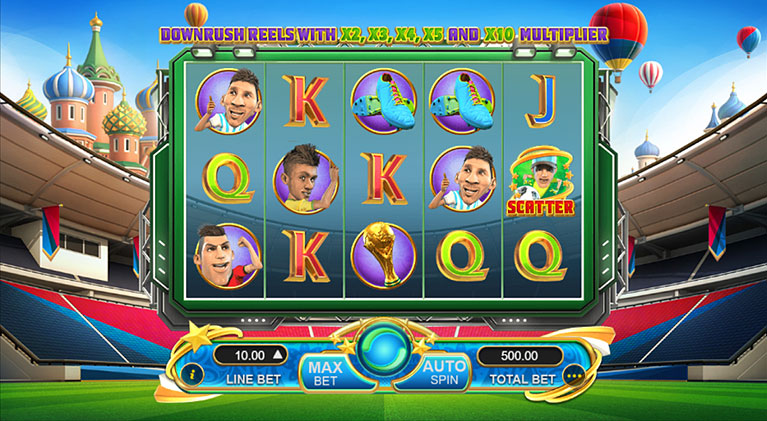
Game Symbol
Symbol combination payouts are listed on the paytable. Win amount is computed by multiplying the payout value by the line bet – except for the scatter payout which is multiplied by total bet.
| High-paying Symbols | ||||
|---|---|---|---|---|

|
||||
| Low-paying Symbols | |||
|---|---|---|---|

|
|||

Wild Symbol
Wild symbol substitutes for all symbols on a possible win line EXCEPT for the Bonus and Scatter symbols.

The Wild symbol would ONLY be available on reels 2, 3, and 4. It is available during normal game and during free spins.


Scatter Symbol
Scatter symbols appear on all reels and are only available during main game. Three (3) or more Scatter symbols on ANY reels could trigger a free spin and also award symbol payouts. Scatter wins are multiplied by total bet and added to all wins.
WILD PENALTY KICK
The Wild Penalty Kick awards the player with guaranteed wins. A random soccer player will appear on the screen and kick a ball into either reel 2, 3, or 4, turning that reel into a stacked Wild with a guaranteed win.
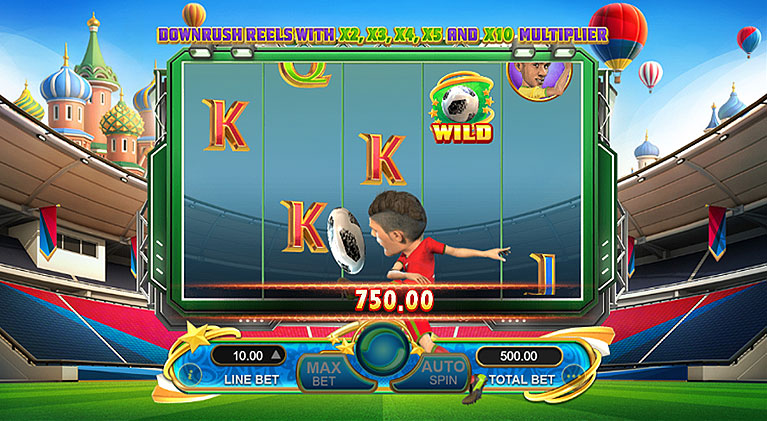
During Wild Penalty Kick, the winning symbols would NOT disappear and collapse but rather, the symbols would remain and the game would be ready for the next spin. The Wild Penalty Kick is active during main game but is disabled during free spins.
Free Spins
The Free Spins feature could be triggered by getting 3, 4, or 5 scatter symbols which would reward 15, 20, or 25 free spins respectively.
Free spins would use the same lines bet that triggered the feature. Free spin feature cannot be re-triggered. During free spins, Wild Penalty Kick is disabled but Downrush Reel Mode is enabled.
Downrush Reel Mode
Downrush Reel is enabled during free spins and can award up to x2, x3, x4, x5, and x10 multiplier. Each succeeding collapse during a free spin will trigger an increase on the multiplier and will max out at x10. Below are the rules for the Downrush Reel:
- During free spins, the starting multiplier is x1. Once the player wins a game, the winning symbols would be paid and this is considered the first collapse. The multiplier is set from x1 to x2.
- If the new symbols have a new winning combination, this is considered the second collapse and the multiplier will increase from x2 to x3.
- For every additional consecutive collapse, the multiplier would increase by a step (i.e. from x3 to x4, from x4 to x5).
- Once the player gets the 5th collapse, the multiplier is set to the maximum x10 multiplier and any collapse after that would get the same multiplier.
- If there are no winning combinations left, the game proceeds to the next spin and the multiplier will reset back to x1.
- If the player gets another winning combination on the next spin, the multiplier will move up from x1 to x2, and the same rules as written above would be followed.
How To Play
- Choose the Total Bet per round by selecting a Line Bet value to be applied on each paylines.
- To start the round, click the SPIN button.
- Once the reels stop, the combination of symbols displayed determine the payout as could be seen on the paytable. Check the total win on the WIN field.
BET
The total bet is shown in TOTAL BET display.
Player could change the bet by changing the bet value (increase or decrease) which would be applied on all the number of paylines.
PAYLINES OR PAY WAYS & PAYTABLE
The number of game paylines or pay ways is fixed. The game payline or pay ways patterns, and the paytable that show the winning symbol combination payout are displayed by clicking on the “i” button.
WIN
Any total win in the game round will be displayed on the WIN field. The win amount for each combination could be seen on the info table where the paytable, paylines, and feature information are. Only the highest payline win will be paid.
If the game has a feature, all winnings from features triggered are added to the payline or pay way total win. If the game has a feature, all winning combinations are paid out at the end of a game round/spin and NOT at the end of the feature triggered.
For games with Free Spin feature, each free spin is played with the same line bet chosen during the game round that triggered it. The bet cannot be changed during a currently running game round or feature.
Reconnecting Games
If in the middle of the main game the player disconnected from the Internet, the spin will be automatically completed. Once the player re-opens the game, it will start from the very beginning. Players previous wins will be paid. To check the previous outcome, click on History button after login.
If the main game is disconnected from the Internet during a spin using the Auto Spin function, the spin will be automatically completed, but further spins will not automatically start. The game’s previous wins will be paid. To check the previous outcome, click on History button after login.
If the game is disconnected from the Internet during the Free Spins, Bonus Game and/or other feature, the player will be automatically directed back to the game after login to continue the game. Players previous wins will be paid. To check the previous outcome, click on History button after login.
Do note that a malfunction voids all pays and plays.
Game Actions/Buttons - Web Version
| Button | Name | Description | ||||
|---|---|---|---|---|---|---|
|
Bet panel - Contains the actionable buttons and fields related to the game |
||||||
|
“i” button | Displays the info table containing the paytable data, paylines, and information regarding the features of the game. | ||||
|
Line Bet/Bet |
Line Bet is a dropdown option for games based on paylines that lets player choose how much to bet for each payline available. Bet is a dropdown option for games based on payways that lets player choose how much to bet for each credit available on a payways game. Simply click on the chosen bet value to apply it for the succeeding spin. |
||||
|
|
Max Bet Button |
Automatically selects the highest bet denomination listed on the Line Bet dropdown button. |
||||
|
Spin button |
During the main game, press this to start a normal spin. |
||||
|
Play button |
If the game has a feature and it is triggered, this button will start the feature. |
||||
|
Stop button |
Shows up a few seconds before the reels land one by one. This stops the reels instantly. |
||||
|
Total Bet |
No action required. Displays the total wager placed per round. Total bet is computed automatically by multiplying the configured line bet by the number of paylines for the game. |
||||
|
Basic Auto Spin Panel |
Shows the corresponding number of auto spins that could be triggered. Player could choose either 10, 25, 50, 75, 100, or unlimited auto spins. Choosing Unlimited would mean the auto spins will continue player has insufficient balance. |
|||||
|
Advanced Auto Spin Panel |
Shows the following:
Auto Spin settings of the game would follow all the conditions configured on this panel. |
|||||
|
Stop Loss Limit |
Allows the player to set stop loss limit based on accumulated total bet. Once the limit has been met auto spin will stop.
Auto Spin settings of the game would follow all the conditions configured on this panel. |
|||||
|
Stop Auto Spin Options |
Allows the player to stop auto spin with specific condition :
|
|||||
|
“...” or More button |
Shows the following:
|
||||
|
Sound button |
Toggles mute and unmute for the sounds of the game |
||||
|
Game Help button |
Shows the game help info page for the game |
||||
|
Game History |
Displays the transaction history of the user account including bets and wins on every spin. |
||||
|
Back button |
Redirects to the game lobby site |
||||
|
Play for Real and Fund Transfer |
Play for Real button changes the play mode from Fun Play (demo) to Real Play (pay per spin). Fund Transfer button redirects to the Wallet of the user account. Note: These two buttons are ONLY displayed if the operator has enabled this configuration. |
||||
|
Home button |
Redirects the player to either the lobby site or the site that the operator has configured. Note: This button is ONLY displayed if the operator has enabled this configuration. |
||||
|
Black bar menu - Shows the following:
|
||||||
|
Type of gameplay |
Funplay (demo mode) and Pay to Play |
||||
|
Total Bet (black bar) |
No action required. Displays the total wager placed per round. Total bet is computed automatically by multiplying the configured line bet by the number of paylines for the game. |
||||
|
Total Win |
Total Win amount from the previous round |
||||
|
Balance |
Remaining player balance (in currency) |
||||
|
Time |
Current time (in timezone) |
||||
Game Actions/Buttons - Mobile Version
| Button | Name | Description | ||||||||
|---|---|---|---|---|---|---|---|---|---|---|
|
Game Help button | Shows the game help info page for the game | ||||||||
|
Option button |
Shows the following:
|
||||||||
|
Sound button | Toggles mute and unmute | ||||||||
|
Auto Spin Button | Displays the Advanced Auto Spin Window | ||||||||
|
Basic Auto Spin Panel | Shows the corresponding number of auto spins that could be triggered. Player could choose either 10, 25, 50, 75, 100, or unlimited auto spins. Choosing Unlimited would mean the auto spins will continue player has insufficient balance. | ||||||||
|
Advanced Auto Spin Window |
Shows the following:
Auto Spin settings of the game would follow all the conditions configured on this panel. |
||||||||
|
Stop Loss Limit |
Allows the player to set stop loss limit based on accumulated total bet. Once the limit has been met auto spin will stop.
Auto Spin settings of the game would follow all the conditions configured on this panel. |
||||||||
|
Start Auto Spin Button | Click Start button to start the autospin. | ||||||||
|
Stop Auto Spin Options |
Allows the player to stop auto spin with specific condition :
|
||||||||
|
Settings button |
Shows the following:
|
||||||||
|
Bet Settings |
Shows the following:
|
||||||||
|
Total Bet | No action required. Displays the total wager placed per round. Total bet is computed automatically by multiplying the configured line bet by the number of paylines for the game | ||||||||
|
|
Paylines/Way Wins | Paylines for games which are based on paylines, and way wins for games which are based on pay ways are indicated as fixed numbers (represented as N on the screenshot). | ||||||||
|
|
Line Bet/Bet |
Line Bet is a slider option for games based on paylines that lets player choose how much to bet for each payline available. Bet is a slider option for games based on payways that lets player choose how much to bet for each credit available on a payways game. Drag the slider to the chosen bet value to apply it for the succeeding spin. |
||||||||
|
|
Sound Setting | Slider option that lets the player set the volume of the game. | ||||||||
|
"i button" | Displays the info table containing the paytable data, paylines, and information regarding the features of the game. | ||||||||
|
Home Button |
Redirects the player to either the lobby site or the site that the operator has configured. Note: This button is ONLY displayed if the operator has enabled this configuration. |
||||||||
|
"x" button | Closes the settings menu and returns the player the the game area. | ||||||||
|
Play for Real and Fund Transfer |
Play for Real button changes the play mode from Fun Play (demo) to Real Play (pay per spin). Fund Transfer button redirects to the Wallet of the user account. Note: These two buttons are ONLY displayed if the operator has enabled this configuration. |
||||||||
|
Game History | Displays the transaction history of the user account including bets and wins on every spin. | ||||||||
|
Back button | Redirects to the game lobby site | ||||||||
|
Spin button | During the main game, press this to start a normal spin. | ||||||||
|
Play button | If the game has a feature and it is triggered, this button will start the feature. | ||||||||
|
Stop Auto Spin Button | Counts the remaining auto spin (if applicable) and stops the auto spin when pressed | ||||||||
|
Fast-forward button | Stops all reels and skips the line-by-line win presentation. | ||||||||
|
Stop button | Shows up a few seconds before the reels land one by one. This stops the reels instantly. | ||||||||
Black bar menu (landscape) Shows the following:
|
||||||||||
Black bar menu (portrait) Shows the following:
|
||||||||||
|
Total Bet (black bar) |
No action required. Displays the total wager placed per round. Total bet is computed automatically by multiplying the configured line bet by the number of paylines for the game. |
||||||||
|
Total Win (black bar) | Total win amount from the previous round | ||||||||
|
Black (black bar) | Remaining player balance (in currency) | ||||||||
|
Time | Current time (in timezone) | ||||||||
